
Welcome to the Bing Image Scraper, a tool updated and maintained by Ultralytics. This repository provides enhanced code, originally based on the google-images-download project by hardikvasa, specifically adapted for scraping images from Bing. It allows users to efficiently download images for various purposes, such as building datasets for machine learning, performing data analysis, or curating collections for personal projects. Explore more tools and models at Ultralytics.




For easy deployment using Docker, visit the dedicated GitHub repository: google-images-download-by-docker.
You can run the scraper within a Docker container using the following command:
docker run -d -p 80:80 --name image_searcher saitamatechno/google_images_download:v1.0To use this software effectively, please ensure you have Python 3.8 or later installed. You also need to install the necessary dependencies listed in the requirements.txt file, which includes libraries like Selenium. Install them using pip:
pip install -r requirements.txtYou can find the requirements.txt file here.
To set up the Bing image scraper on your local machine, clone this repository and install the required dependencies:
git clone https://github.com/ultralytics/google-images-download
cd google-images-download
pip install -r requirements.txtFollow these steps to run the image scraper:
- Run small searches directly: Searches with
--limit 100or lower use the Bing results HTML directly and do not require Chrome or ChromeDriver. - Install Google Chrome for larger searches: Searches above 100 images use Selenium to scroll Bing Images. Selenium can usually locate a compatible driver automatically, or you can pass one with
--chromedriver. - Execute the Script: Run the
bing_scraper.pyscript using Python. You can specify a Bing Images search results URL using the--urlargument or provide search terms directly with the--searchargument. Images will be saved to the./imagesdirectory by default. The script is designed to skip images that cause errors during download. For insights into data collection best practices, check out our blog post on exploring data labeling.
Example using a URL:
python3 bing_scraper.py --url 'https://www.bing.com/images/search?q=wildflowers' --limit 20 --download --chromedriver /path/to/your/chromedriverExample using search terms:
python3 bing_scraper.py --search "bees collecting pollen" --limit 15 --download

# Output logs will show download progress and any encountered errors.
Example using Python:
from bing_scraper import googleimagesdownload

response = googleimagesdownload()
paths, errors = response.download(
    {
        "search": "honeybees on flowers",
        "limit": 10,
        "download": True,
    }
)
To download more than 100 images, install Chrome and either let Selenium manage the driver or pass a driver path:
python3 bing_scraper.py --search "bees collecting pollen" --limit 300 --download --chromedriver /path/to/chromedriverUse -f or --format to restrict downloads to one image format:
python3 bing_scraper.py --search "wildflowers" --limit 25 --download --format jpgOn Windows Command Prompt, prefer double quotes around URLs and search terms. Single quotes can be passed to Python as literal URL characters by cmd.exe.
Legacy Google-era options such as --similar_images remain limited because this fork now targets Bing Images. Prefer direct --search, --keywords, or --url workflows for reliable scraping.
The downloaded images can be useful for creating custom computer vision datasets.
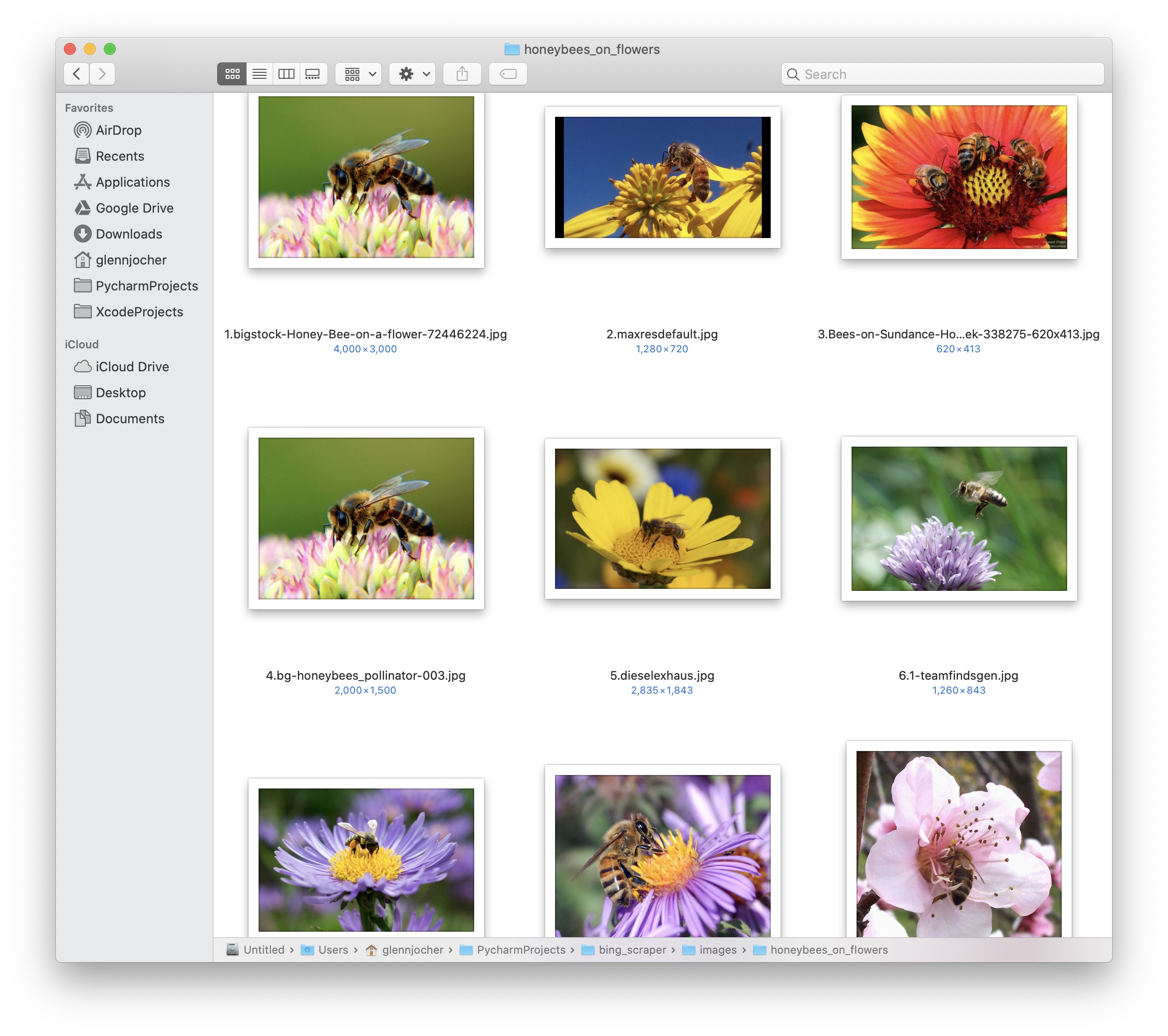
If you use this software in your research or projects, please acknowledge the original work by citing the hardikvasa/google-images-download repository.
Contributions from the community are highly encouraged and appreciated! Your input helps make this open-source tool better for everyone. Whether it's reporting a bug, suggesting a new feature, or submitting code improvements, please refer to our Contributing Guide for details on how to get started.
We also invite you to participate in our Survey to share your feedback, helping us understand your needs and improve our offerings. A heartfelt thank you 🙏 to all our contributors for their dedication and support!
Ultralytics provides two licensing options to accommodate different usage needs:
- AGPL-3.0 License: Ideal for students, researchers, and enthusiasts working on open-source projects. It promotes collaboration and knowledge sharing. See the LICENSE file for full details.
- Enterprise License: Designed for commercial use cases, this license allows integration of Ultralytics software into proprietary products and services without the open-source requirements of AGPL-3.0. For more information, visit Ultralytics Licensing.
For bug reports, feature requests, or any issues related to this repository, please use the GitHub Issues tracker. For broader questions, discussions, and community interaction, join our Discord server.


