BallonsTranslator-Pro is an advanced fork of dmMaze/BallonsTranslator, keeping the same assisted manga/comic translation pipeline while adding production-focused module options and quality-of-life workflow improvements for power users.
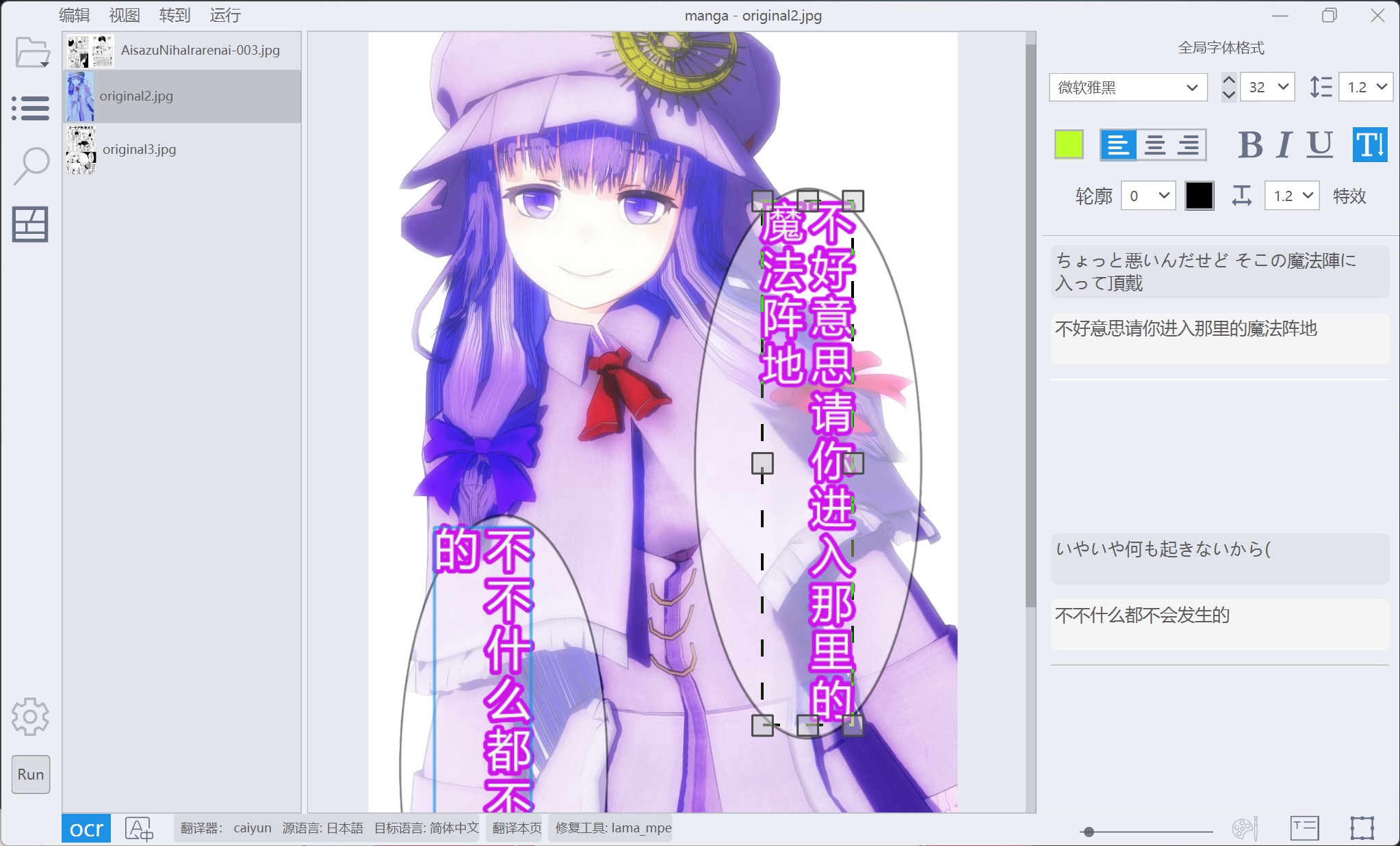
BallonsTranslator-Pro helps you translate manga/comic pages with an assisted workflow:
- Detect speech balloons/text areas
- Read text (OCR)
- Translate text
- Clean original text from artwork (inpaint)
- Edit and export pages
This fork focuses on practical, real-world comic workflows and gives you multiple module options for detection, OCR, translation, and inpainting.
- 中文文档(与本页同结构): README_zh_CN.md
- Full change history: docs/CHANGELOG.md
From the base project, Pro preserves the core five-stage pipeline (detect → OCR → translate → inpaint → edit/export) and WYSIWYG editing workflow.
The Pro fork focuses on:
- broader translator/model choices (including chainable and LLM-based translators),
- practical configuration for real chapter workflows,
- documentation for tuning quality/speed tradeoffs.
This README is for regular users who just want to run the app and translate pages.
If you want deep technical details, see:
- Install Python 3.10+.
- Clone or download this repository.
- In the project folder, run:
python launch.pyOn first launch, base requirements are installed automatically if needed.
setup.bat: one-time setupLaunch BallonsTranslator.bat: run with the Python mode selected insetup.bat(system Python or localvenv, with automatic fallback)launch_win.bat/launch_win_with_autoupdate.bat/launch_win_amd_nightly.bat: for portable bundle layouts
If you are unsure, start with python launch.py.
When no config/config.json exists (fresh install), the app may ask which model package(s) to download.
- You can start with Core only (fastest, simplest)
- Downloads run in the background
- If a download fails, use Tools → Models → Retry model downloads
- You can add/remove packages later via Tools → Manage models
Default baseline after successful setup:
- Detector:
ctd - OCR:
manga_ocr - Inpaint:
aot - Translator:
google
- Open images: File → Open Folder (or Open Images)
- Pick modules: Config panel → Detector / OCR / Inpaint / Translator
- Run pipeline: click Run in the bottom bar
- Review & edit text as needed
- Export results: Tools → Export all pages
That’s enough to complete most projects.
You can now run a two-step translation flow with online MT + LLM review/correction:
- Set Translator to
Chain - In Chain settings:
chain_translators:google,LLM_API_Translator(orDeepL,LLM_API_Translator)chain_intermediate_langs:English- leave
chain_llm_review_modeenabled
- Configure your
LLM_API_Translatorprovider/model normally
When enabled, the final LLM step receives both original source text and the first-pass draft so it can validate and refine wording, tone, and consistency before final output.
If you want a stable starting point:
- Detector:
ctd - OCR:
manga_ocr - Inpaint:
aot - Translator:
google
You can switch modules later when you want better quality for difficult pages.
For manhua-focused tuning, see: docs/MANHUA_BEST_SETTINGS.md
- Config template:
config/config.example.json - Active config:
config/config.json - Downloaded models:
data/models/ - Optional HuggingFace cache:
.btrans_cache/hub - Fonts folder:
fonts/
Project outputs are saved with the project/pages you open (not in one global output folder).
Install Python 3.10+ and verify:
python --versionTry:
python -m ensurepip --upgrade
python -m pip install --upgrade pipRetry with:
python launch.py --reinstall-torchFor GPU/CUDA/ROCm details, use: docs/TROUBLESHOOTING.md
- Troubleshooting: docs/TROUBLESHOOTING.md
- Quality tiers: docs/QUALITY_RANKINGS.md
- Models reference: docs/MODELS_REFERENCE.md
- Translation context & glossary: docs/TRANSLATION_CONTEXT_AND_GLOSSARY.md
- InDesign LPtxt export: docs/INDESIGN_LPTXT_WORKFLOW.md
- This project includes many optional modules and fonts. You do not need all of them to get started.
- Start simple (core modules), verify your workflow, then expand.
- If you report issues, include your startup command and full terminal log.