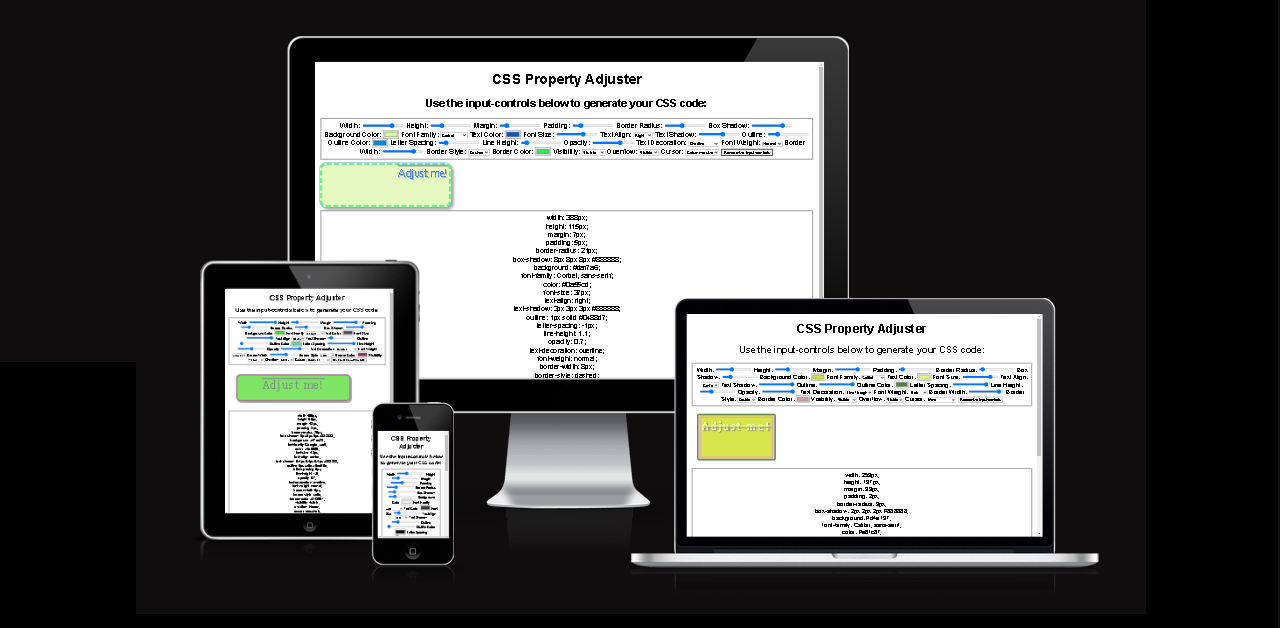
CSS Property Adjuster is a website and tool to facilitate web styling and design. Its functionality lies in its ability to seamlessly adjust CSS properties with a user-friendly interface, providing an unparalleled experience. The tool's intuitive design allows users to effortlessly manipulate various CSS properties with instantaneous feedback, which not only accelerates website development but also enhances the precision of design decisions.
-
The Header
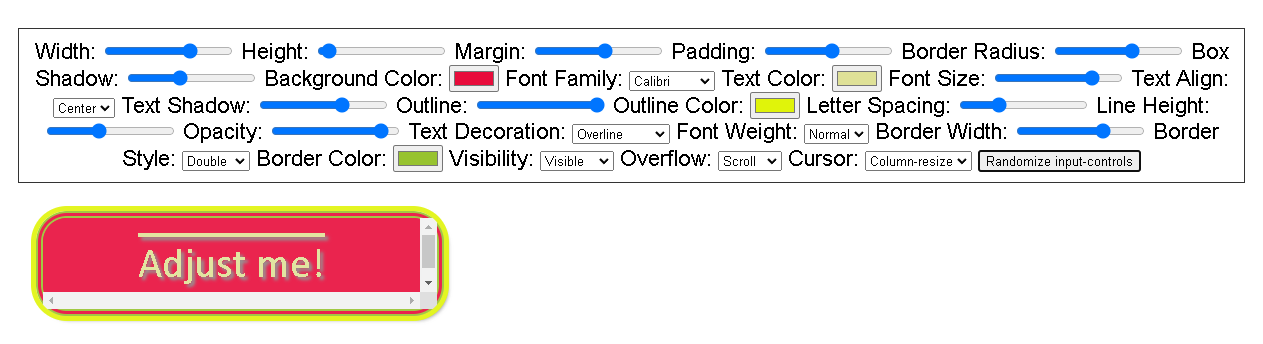
- At the top of the page, there is the header showcasing the name of the website and tool: CSS Property Adjuster. The deliberately chosen Arial font ensures simplicity and reliability, minimizing potential confusion while engaging with the input-controls designed to style the adjustable element on the page. There are also instructions about how to use the tool.
-
The Input-Controls
- The main content of the page features input-controls enabling to customize the following CSS properties: width, height, margin, padding, border-radius, box-shadow, background, font-family, color, font-size, text-align, text-shadow, outline, letter-spacing, line-height, opacity, text-decoration, font-weight, border-width, border-style, border-color, visibility, overflow, and cursor. There is also a randomization button to configure them automatically.
-
The Adjustable Element
- The adjustable element undergoes real-time updates and is automatically styled based on the current configuration of the input-controls.
-
The CSS Code
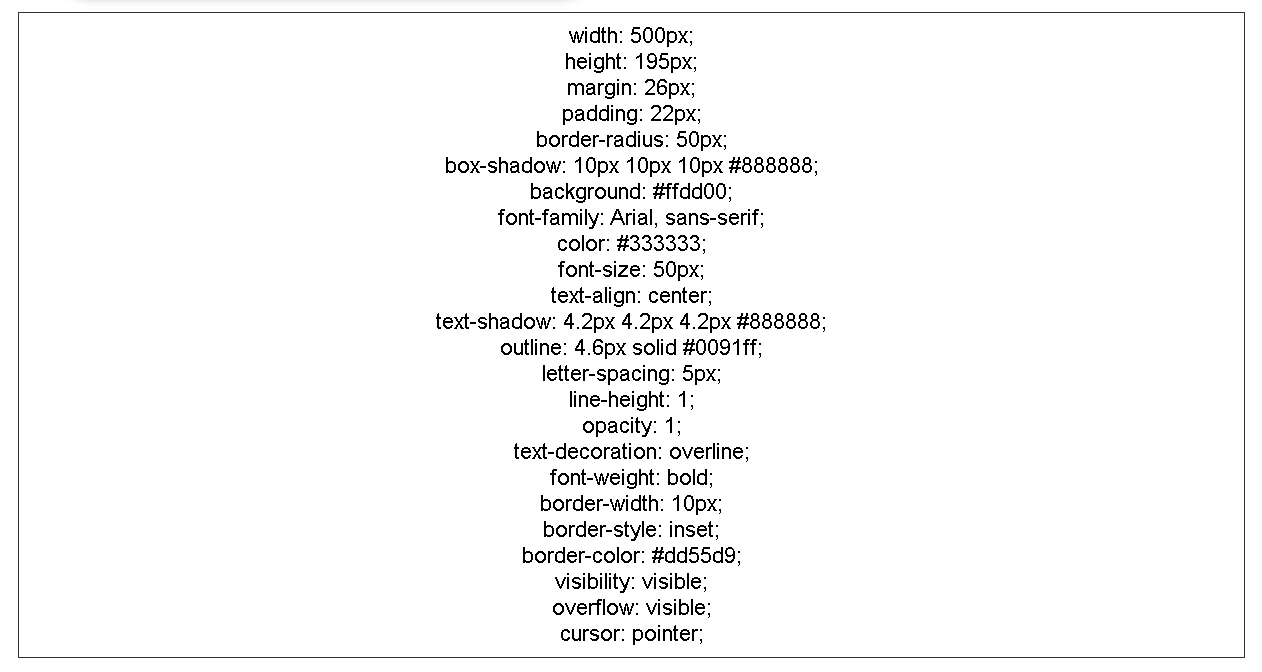
- A designated box contains real-time updated CSS code corresponding to the configurations of the input-controls.
-
The Footer
- Within the footer, there is a checkbox for alphabetically sorting the CSS code and another button for copying the generated CSS code to the clipboard. Upon clicking the "Copy to Clipboard" button, a JavaScript alert is triggered to confirm the action has occurred.



-
The prospect of incorporating supplementary controls presents an exciting opportunity to enhance the functionality of the CSS Property Adjuster, providing additional features to fine-tune the styling of the adjustable element. This potential integration holds the promise of a more versatile and comprehensive toolset, enabling users to exert greater precision and creativity.
-
As innovative technology continues to advance, the introduction of new devices with custom resolutions creates new opportunities for the website's responsive design. The emergence of these devices prompts the refinement of media queries, enabling more precise and effective tailoring of content for diverse screen sizes and resolutions.
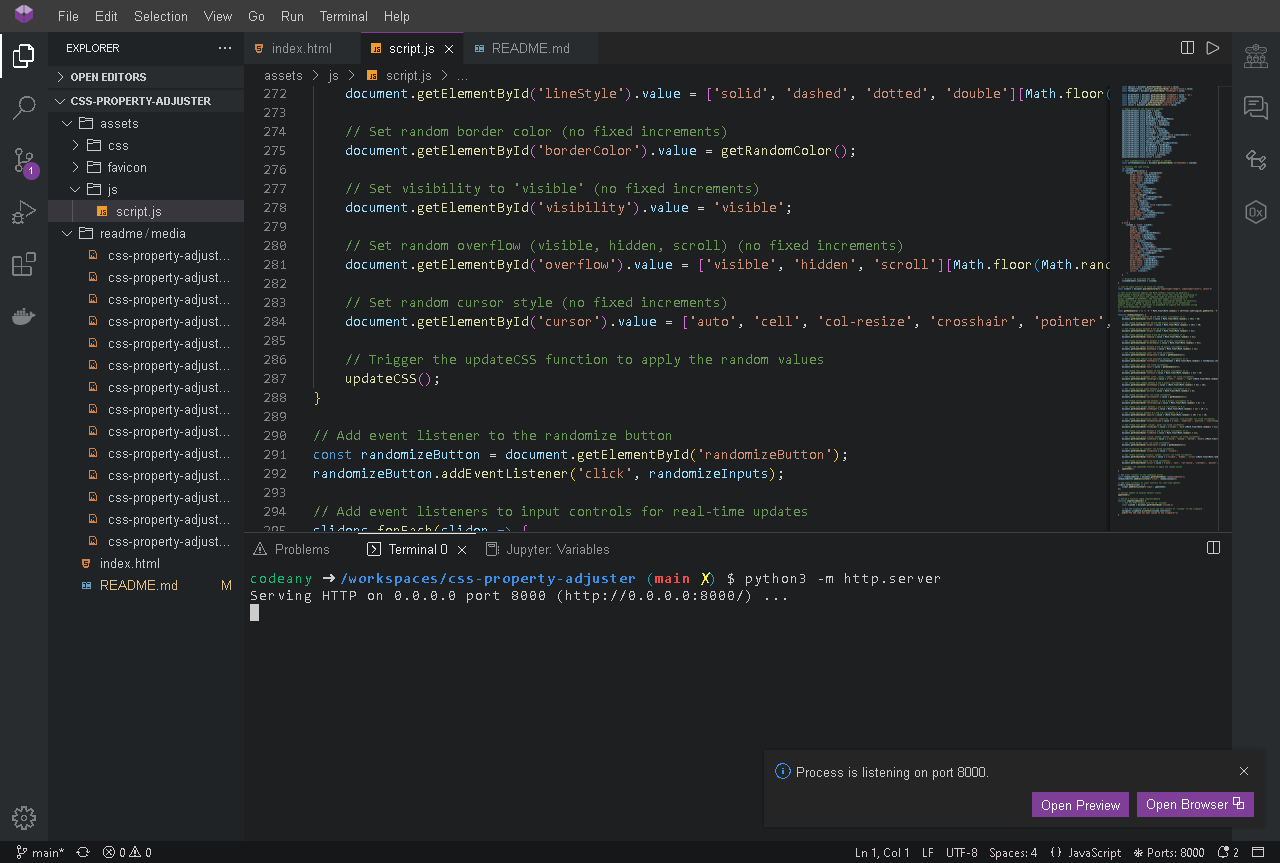
A Python 3 server was launched within Codeanywhere's integrated development environment (IDE) to regularly evaluate the website's functionality online.
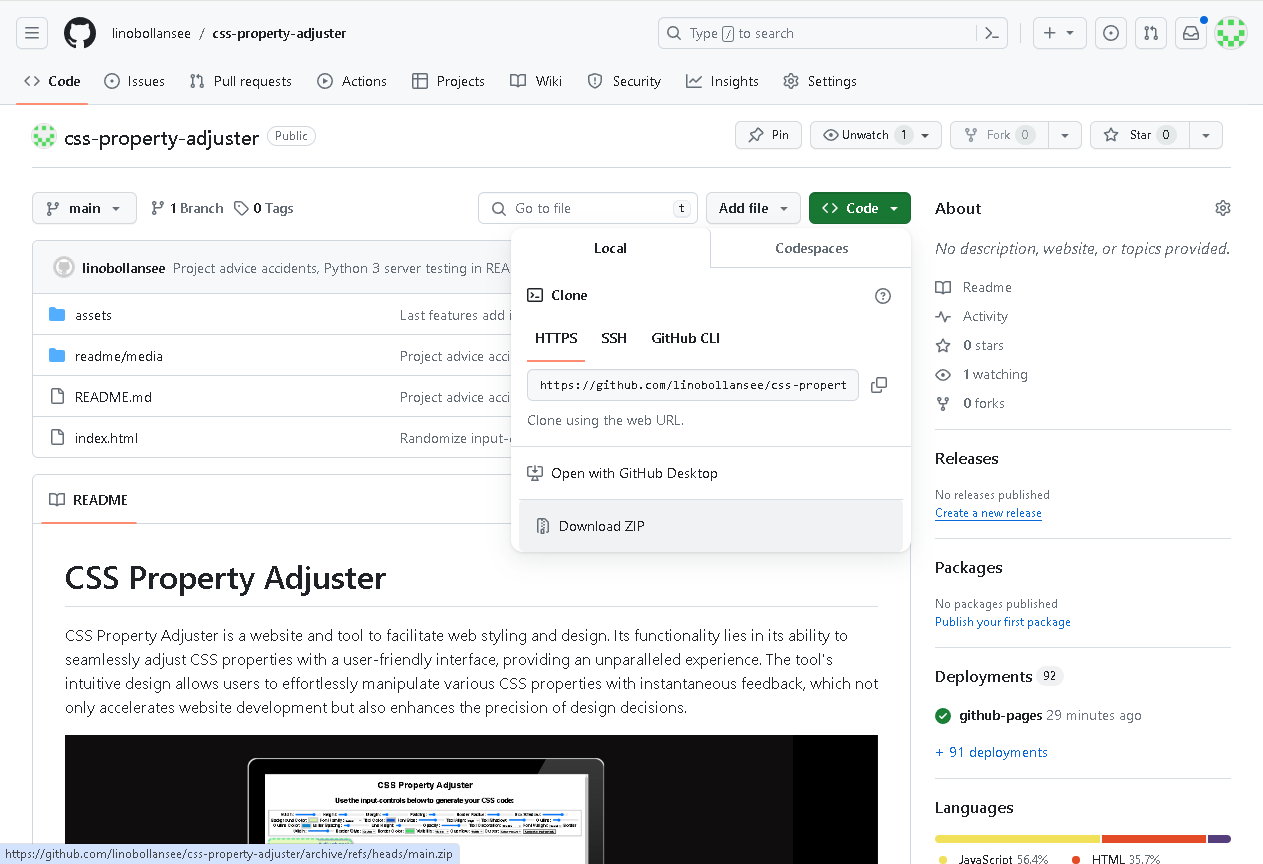
To ensure additional file backups and conduct offline testing, the repository was downloaded as a ZIP archive from GitHub, then extracted and accessed via a local browser.
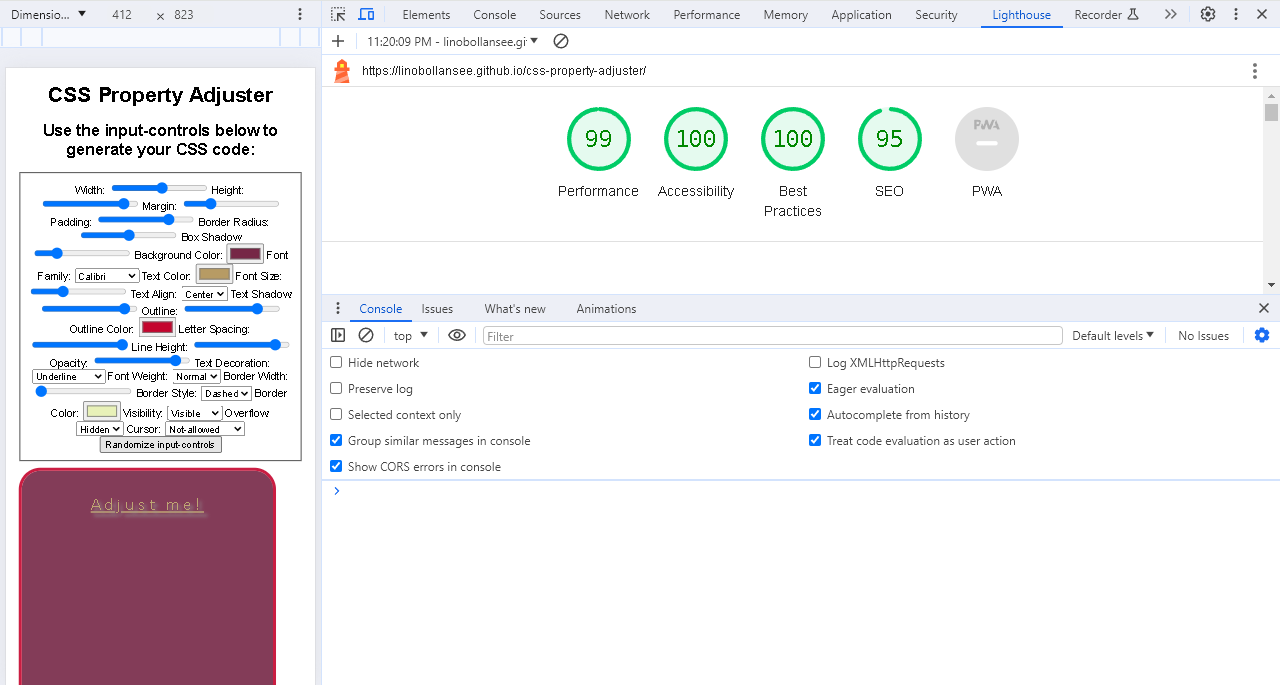
Google Lighthouse assessed this project based on its performance, accessibility, adherence to best practices, and SEO.
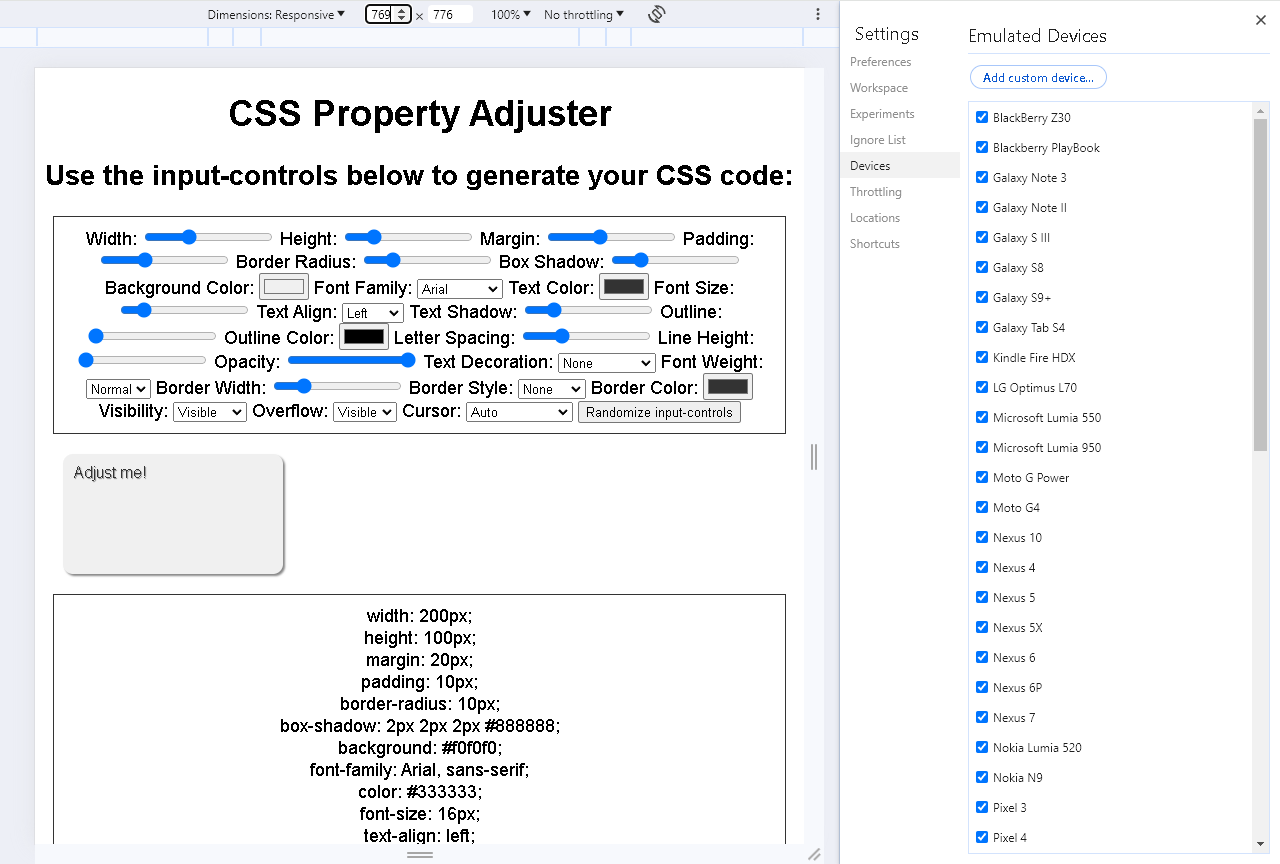
Google DevTools were employed to assess the responsive web design of the site. Numerous different resolutions were chosen, and upon modifying the resolution, the media queries' rules were promptly applied.
- Testing Live Link https://linobollansee.github.io/css-property-adjuster/
- Testing Width (using the slider control, verifying the adjustable element and CSS code)
- Testing Height (using the slider control, verifying the adjustable element and CSS code)
- Testing Margin (using the slider control, verifying the adjustable element and CSS code)
- Testing Padding (using the slider control, verifying the adjustable element and CSS code)
- Testing Border Radius (using the slider control, verifying the adjustable element and CSS code)
- Testing Box Shadow (using the slider control, verifying the adjustable element and CSS code)
- Testing Background Color (using the color picker, verifying the adjustable element and CSS code)
- Testing Font Family (using the dropdown menu, verifying the adjustable element and CSS code)
- Testing Text Color (using the color picker, verifying the adjustable element and CSS code)
- Testing Font Size (using the slider control, verifying the adjustable element and CSS code)
- Testing Text Align (using the dropdown menu, verifying the adjustable element and CSS code)
- Testing Text Shadow (using the slider control, verifying the adjustable element and CSS code)
- Testing Outline (using the slider control, verifying the adjustable element and CSS code)
- Testing Outline Color (using the color picker, verifying the adjustable element and CSS code)
- Testing Letter Spacing (using the slider control, verifying the adjustable element and CSS code)
- Testing Line Height (using the slider control, verifying the adjustable element and CSS code)
- Testing Opacity (using the slider control, verifying the adjustable element and CSS code)
- Testing Text Decoration (using the dropdown menu, verifying the adjustable element and CSS code)
- Testing Font Weight (using the dropdown menu, verifying the adjustable element and CSS code)
- Testing Border Width (using the slider control, verifying the adjustable element and CSS code)
- Testing Border Style (using the dropdown menu, verifying the adjustable element and CSS code)
- Testing Border Color (using the color picker, verifying the adjustable element and CSS code)
- Testing Visibility (using the dropdown menu, verifying the adjustable element and CSS code)
- Testing Overflow (using the dropdown menu, verifying the adjustable element and CSS code)
- Testing Cursor (using the dropdown menu, verifying the adjustable element and CSS code)
- Testing Randomize-input-controls (using the button, verifying the adjustable element and CSS code)
- Testing Sort Alphabetically (using the checkbox, verifying the CSS code ordering)
- Testing Copy to Clipboard (using the button, verifying the Clipboard content and JavaScript alert)
-
HTML
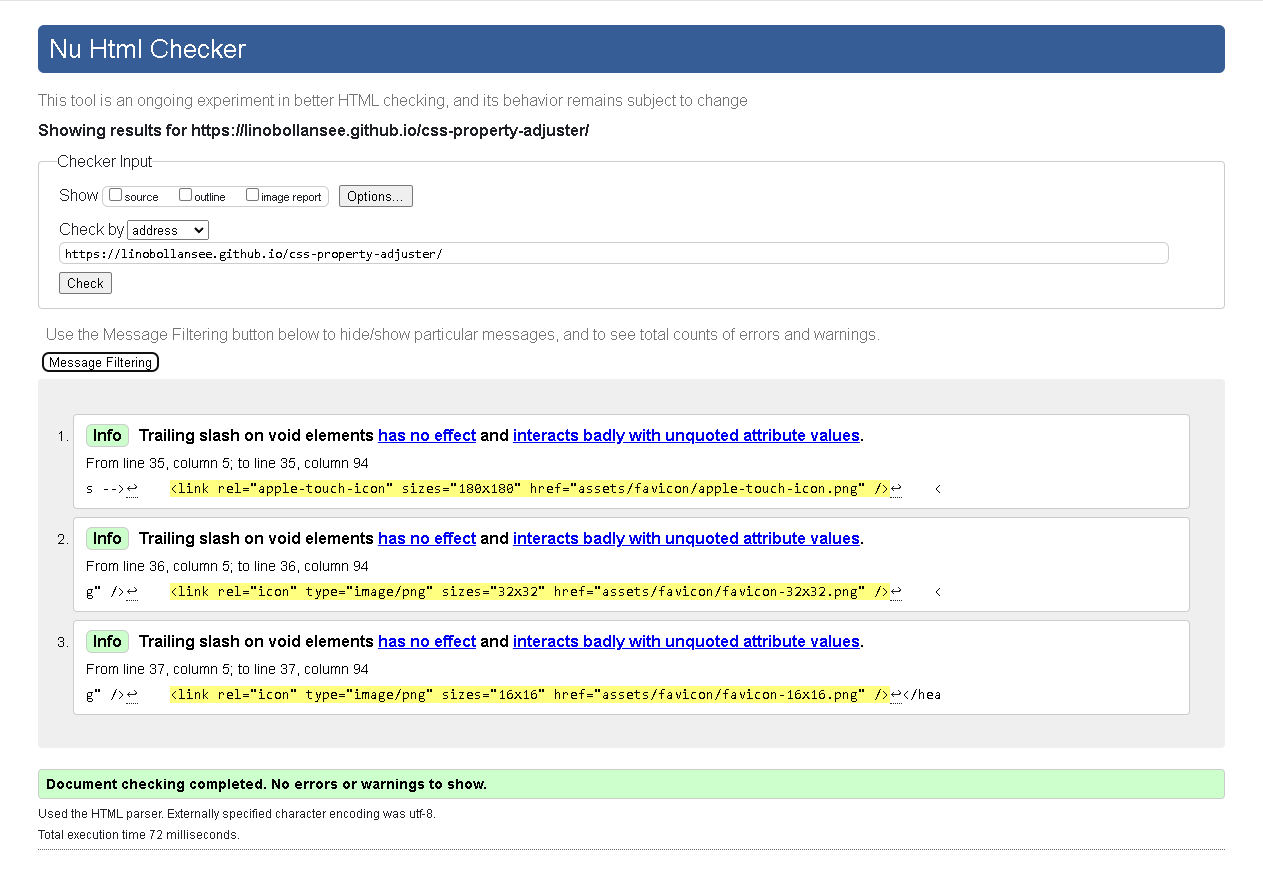
- No errors were found with the W3C HTML Validator https://validator.w3.org/
-
CSS
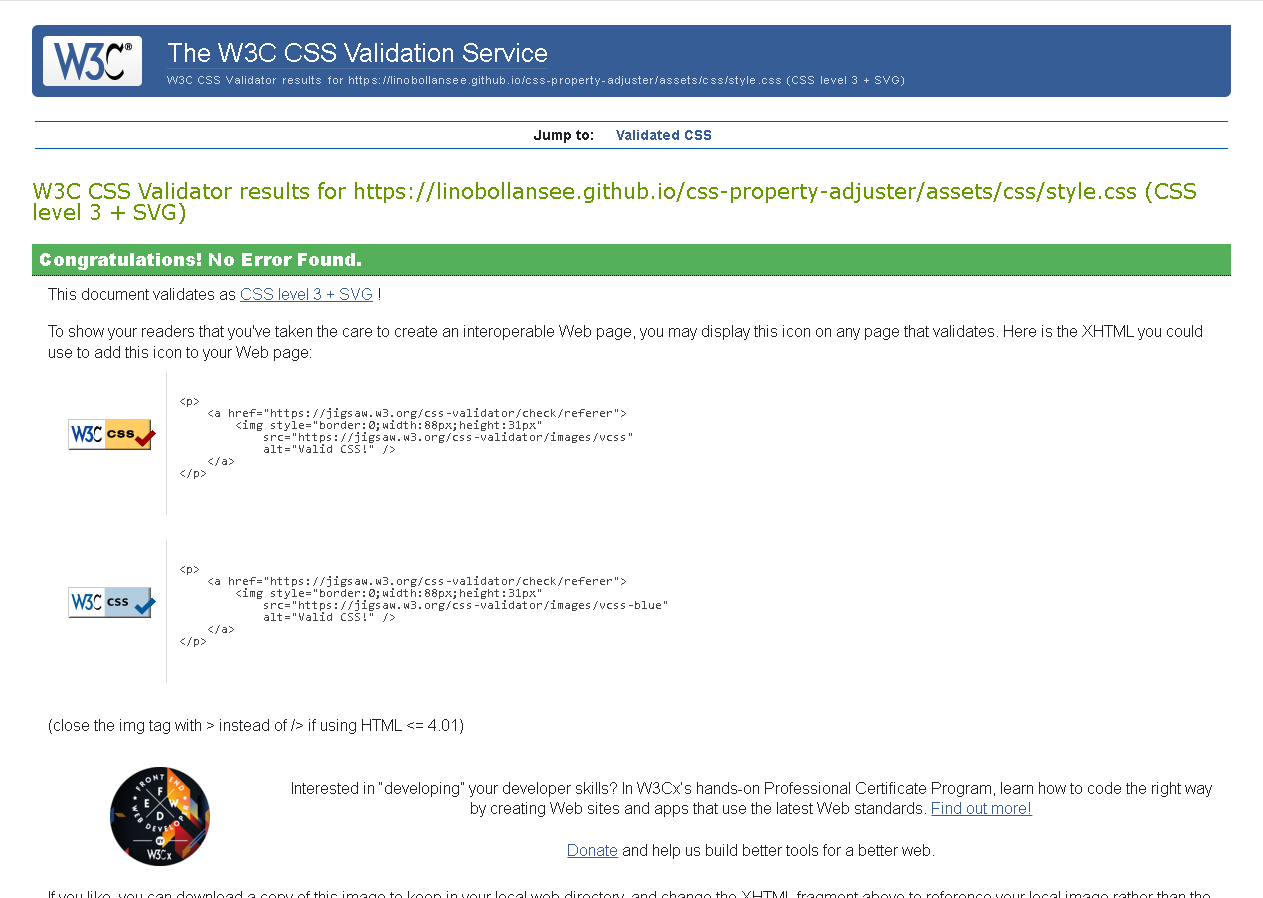
- No errors were found with the W3C CSS Validator (Jigsaw) https://jigsaw.w3.org/css-validator/
-
Javascript
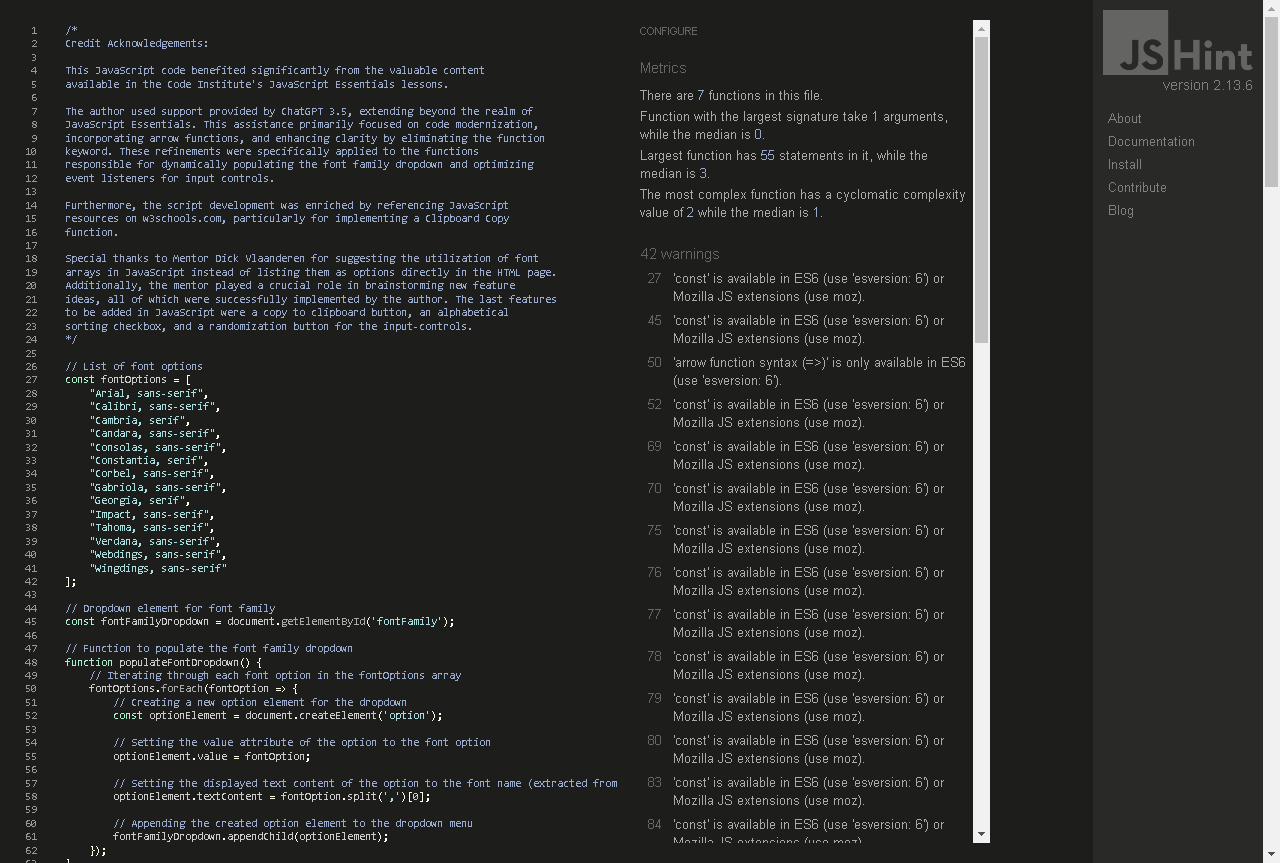
- No errors were found with the JSHint JavaScript Validator https://jshint.com/
- Initially, the oversight of not disabling user selection in CSS resulted in a frustrating user experience, as the input controls were susceptible to malfunctioning and frequently accidentally selected instead of being precisely controlled. This issue was promptly addressed and successfully rectified.

- The employment of three-character hexadecimal values in shorthand notation for the input-controls results in HTML validator errors, requiring an extension to six characters. This change has also been implemented.

-
In the process of developing the JavaScript code for the alphabetical ordering checkbox, an effort was made to introduce a new independent function. Unfortunately, this resulted in various features becoming unresponsive. Subsequently, the new function was removed, and the existing function was updated with if-else code.
-
Extensive font dropdown menus could encounter reliability issues due to factors such as fonts being unavailable on the system, the necessity for excessively long @import statements in CSS, etc. As a result, a decision was reached to trim down the font array and prioritize commonly used fonts.
-
As the bolder and lighter options in the Font Weight dropdown menu had no noticeable effect on the font when compared with normal and bold, the redundant bolder and lighter features were removed.
-
In JavaScript, it's crucial to account for the fact that the Math.random() function produces values from 0 up to, but not including, 1. Thus, when using the Math.floor() function to round down, it's easy to overlook adding 1 to encompass the upper boundary in your desired range, despite being aware of this requirement.
-
In the event of downtime for cloud-based integrated development environments, there's an opportunity to make edits and commit code directly on the GitHub website. This method was utilized to initialize a new repository during a period when Codeanywhere was inaccessible.
-
Initially, the randomization button allowed users to make the adjustable element invisible by setting its opacity to 0 or its visibility to hidden or collapse. Now, the randomization button limits the opacity to a minimum of 0.1, ensuring that the adjustable element remains visible for practical usability. However, within the input controls, users can still set opacity to 0 or visibility to hidden or collapse for educational purposes. When an adjustment to make the adjustable element invisible is done directly, the user has a better awareness of what just occurred.
This compilation of addressed bugs and issues is not exhaustive, as documenting them all would be very impractical.
-
IMPORTANT: The CSS Property Adjuster can be configured to cause text overflow within the adjustable element. This isn't a bug; rather, it's a deliberate feature that enables users to test the overflow CSS property and its values.
-
Since all known bugs have been resolved, it appears that none remain. In theory, since the behavior of the website could vary across different browsers (even outdated versions), it would still be possible to downgrade to lower functionality coding methods for even higher website compatibility.
- Deployment to GitHub Pages was completed for the website. The deployment process involves the following steps:
- Within the GitHub repository, access the Settings tab.
- Choose the Pages tab, set the "main branch" from the dropdown menu in the source section.
- After selecting the "main branch", the page will automatically refresh, displaying a detailed ribbon to confirm the successful deployment.
You can access the live link at this location. - https://linobollansee.github.io/css-property-adjuster/
-
Code Institute: Learning Management System
- The author of this project acquired essential HTML, CSS, and JavaScript skills through education from the Code Institute's LMS. This project utilized these acquired skills very effectively.
-
Code Institute: Student Support: Mentor Guidance
- The mentor guidance from the Code Institute helped in generating Javascript feature ideas for this project. This encompasses project choice, font arrays, CSS sorted alphabetically, and more.
-
Code Institute: Slack community
- The Code Institute's Slack community deserves acknowledgment for cultivating a diverse reservoir of expertise in project methodology and conceptualization. Through active participation, members generously share their projects and resources, significantly enhancing the overall learning environment.
-
Code Institute: Full Sample README
- The starting README.md template was taken from the Code Institute's Portfolio Project Scope page. It was subsequently expanded to align with this particular project.
-
- W3Schools encompasses all the HTML, CSS, and JavaScript syntax necessary for a project. Visiting the site enabled exploration of what was achievable and facilitated the construction of functions not covered in JavaScript essentials.
-
- NotePad++ emerged as an exceptionally efficient tool in this project, offering precision and speed. Its user-friendly interface and lightweight design allowed to seamlessly navigate and manipulate project code, enhancing overall productivity.
-
- Codeanywhere's online integrated development environment (IDE) was utilized for indentation formatting, composing commit messages, and pushing code and files to the Github repository.
-
-
ChatGPT assisted in building the first version of the input-controls and recommending optimal default values to enhance the interface presentation.
-
ChatGPT contributed to the improvement of the JavaScript functionality responsible for populating the font family dropdown from an array and optimizing the event listeners. In order to get the best results, many specially-edited versions of the source code were inputted to ChatGPT, thereby increasing the chances of obtaining valuable responses. From the possible solutions, arrow functions were determined to be the best choice, aligning with modern coding practices.
-
IMPORTANT: Mentor approval was sought to ensure that the code syntax used in this project was permissible. As a precautionary measure, additional comments were incorporated into the source code to demonstrate adequate comprehension.
-
ChatGPT contributed to the HTML, CSS, and JavaScript code comments in this project. Code comments are considered completely safe, as they do not pose any risk of disrupting the functioning code. It is advised to give variables and values meaningful names initially, as this is essential for generating high-quality comments from ChatGPT. Comments were further manually edited in an effort to make them as descriptive and clear as possible.
-
ChatGPT contributed to the composition of the README.md file by transforming sections of written text into a third-person perspective, aiming to achieve a refined and professional style. Additionally, it incorporated minor details aligned with the subject's theme to enhance overall clarity.
-
As the author's JavaScript programming skills advanced, they surpassed ChatGPT's accuracy in updating or introducing new JavaScript features. The author showcased their capability by independently creating features such as the copy to clipboard function, alphabetical sorting checkbox, and randomization button through diligent research and practice. ChatGPT's performance is limited by a tokenization threshold, which hampers its ability to effectively process extensive scripts. When faced with scripts exceeding its limits, the model consistently produces incomplete and erroneous results.
-
-
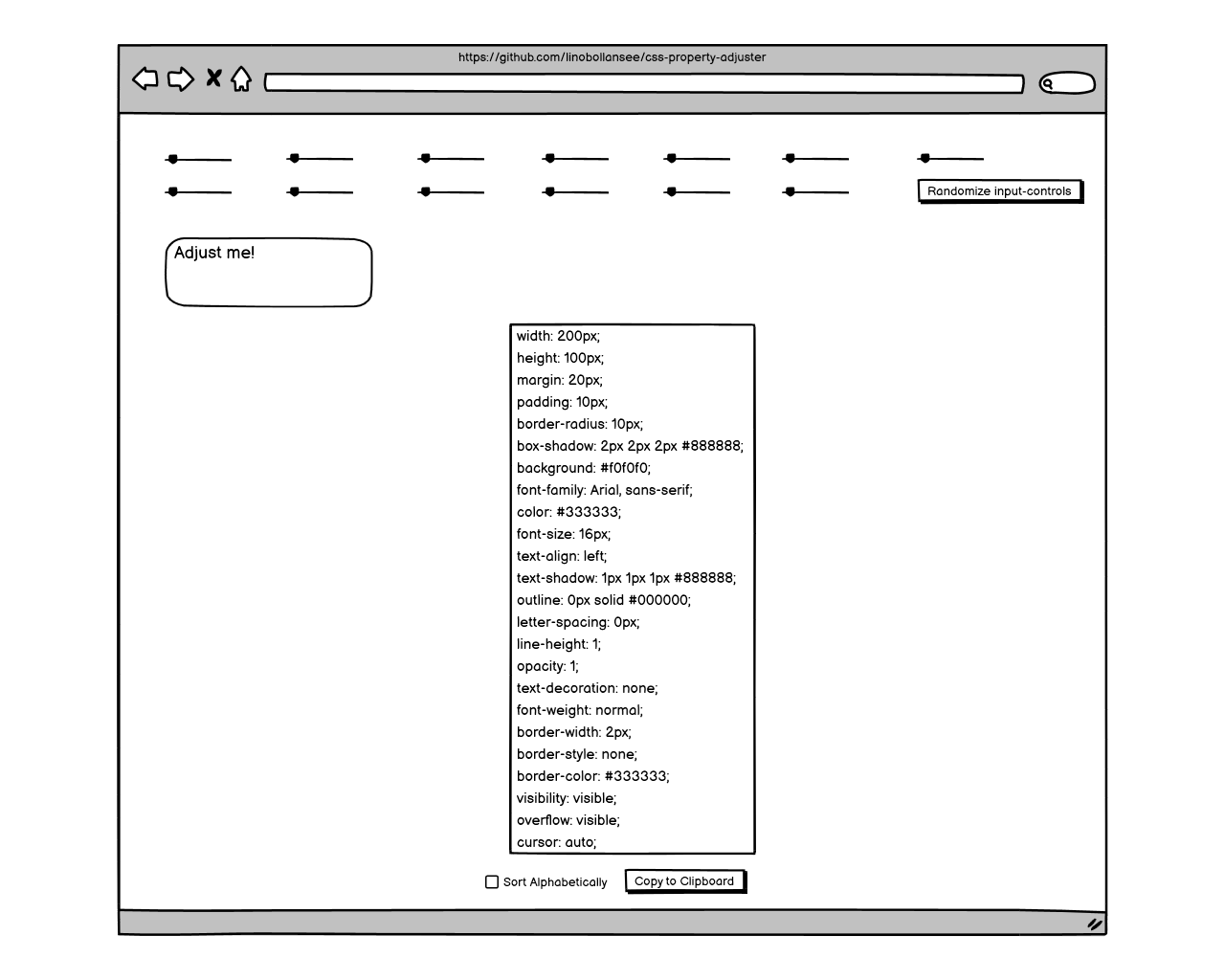
- A proof-of-concept of the project was created using the Balsamiq wireframing tool.
-
Favicons used on this website were generated at https://favicon.io/favicon-converter/
-
The website preview across various devices showcased at the beginning of the README.md file was created using: https://ui.dev/amiresponsive
-
In this project, a deliberate decision was made to minimize the use of media, considering the primary focus on generating many different CSS styles within an adjustable element through JavaScript. The strategic exclusion of extensive media elements stems from a desire to eliminate potential sources of confusion for users. By eschewing unnecessary media, the project aims to streamline the user experience, ensuring that attention remains squarely on the core objective.
-
During the development of a new feature, adopting an incremental and iterative approach proves advantageous for facilitating smoother development and simplifying the debugging process. Introducing too many features simultaneously increases the complexity too quickly, making it considerably more challenging to trace issues when something doesn't work as expected.
-
Creating an ingenious JavaScript function or building an extensive JavaScript array demands a significant investment of time. It becomes crucial to protect them through the establishment of backups. Given the vulnerability of files to accidental overwriting during intense development, it underscores the necessity of maintaining multiple copies as a precautionary measure.
-
Utilizing consistent comments in one's code that closely mirror their commit messages is considered a commendable practice. This alignment facilitates a streamlined development process, enabling individuals to swiftly locate specific code sections by simply utilizing the CTRL-F search function. The parallel structure of comments and commit messages enhances code readability and assists in maintaining a cohesive and easily navigable codebase.
-
Incorporating randomization buttons into projects is strongly recommended, as they enable testing in unconventional value combinations unlikely to occur through manual input. Additionally, they can reveal program limitations and bugs.
-
Exploring a diverse range of other projects and initiatives can significantly contribute to ensuring that all facets and intricacies of the current project are thoroughly considered and accounted for.
-
Accidental keyboard keystrokes or mouse clicks during work can compromise the integrity of a codebase. If such incidents are suspected, it's advisable to promptly copy and paste the latest commit from the version control system directly over the compromised code. This proactive step ensures that any unintended alterations are rectified, effectively guarding against the introduction of flaws or errors.