This website includes a mock interview with some questions chosen at random from the whole dataset. The questions will be presented, and a window will emerge in which the user can record their response. That recorded video will then be processed, and feedback regarding speaking style, expressions and the words which are not supposed to be used in a interview will be generated. Additionally, there is a feature that enables users to submit their CV's and the job descriptions they are applying for and get the similarity score between them.
- The questions that will be presented will be chosen at random from the entire set of questions using random library.
- The feedback part which will include feedback based on facial expression will be done using FER(Facial Expression Recognition) library which will give us the score for each expression and then the max emotion.
- The tone of the candidate's voice while answering is analyzed by utilising the such as libraries and packages librosa, and the classification of the speech emotions with the MLP(Multi-Layer Perceptron) classifier.
- The feedback will also flag words which shouldn't be used in an interview. First, the user's response to the asked question will be converted from speech to text and then it is preprocessed using NLP and it is matched with the pre-defined dataset of words using the matcher tool from spaCy library.
- By comparing the user's response with a list of keywords specific to each question, the website will determine whether or not the answer matches the context of the question.
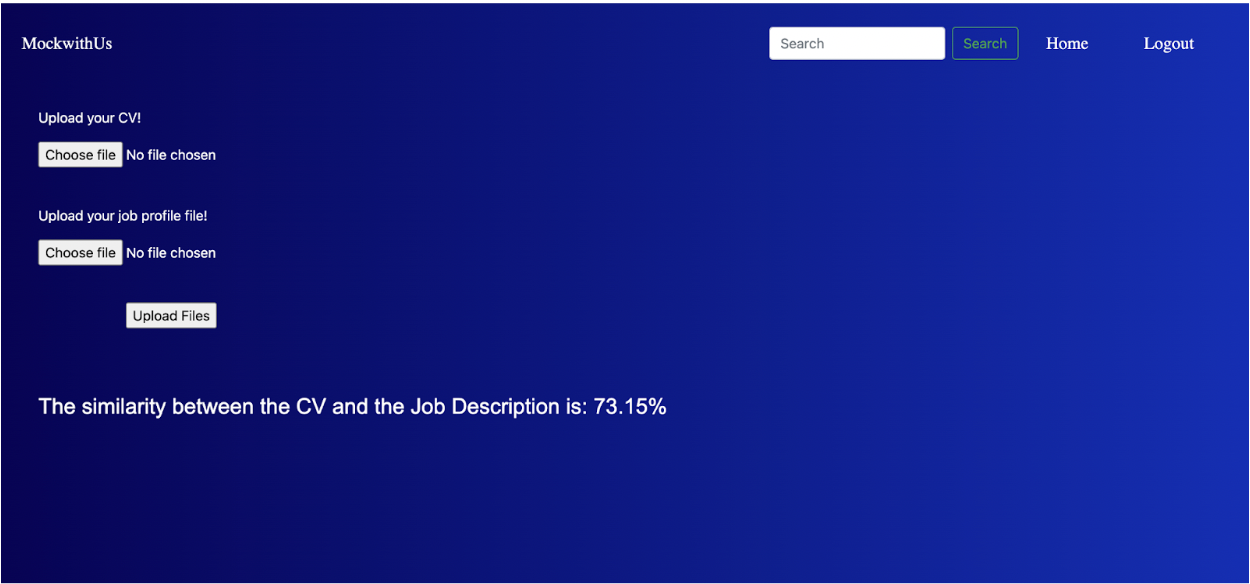
- Additional feature is that enables users to submit their CV's and the job descriptions they are applying for and get the similarity score between the two, which is calculated using the Cosine similarity formula.
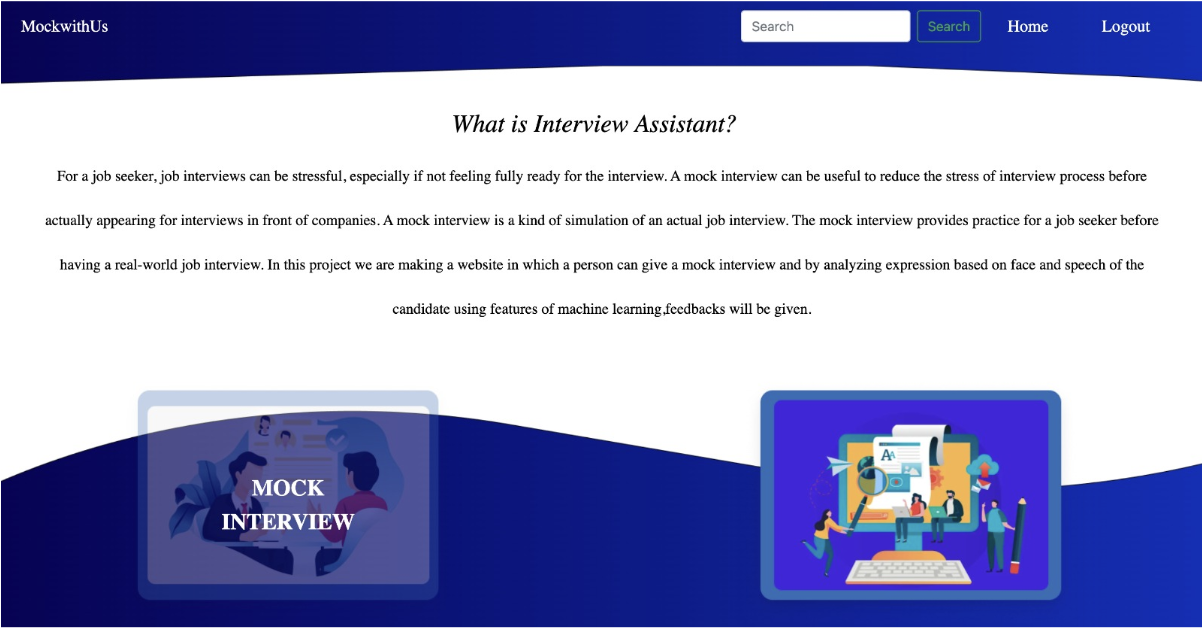
- This image shows the homepage of the website where the information of our website and the option to start the mock interview is displayed.
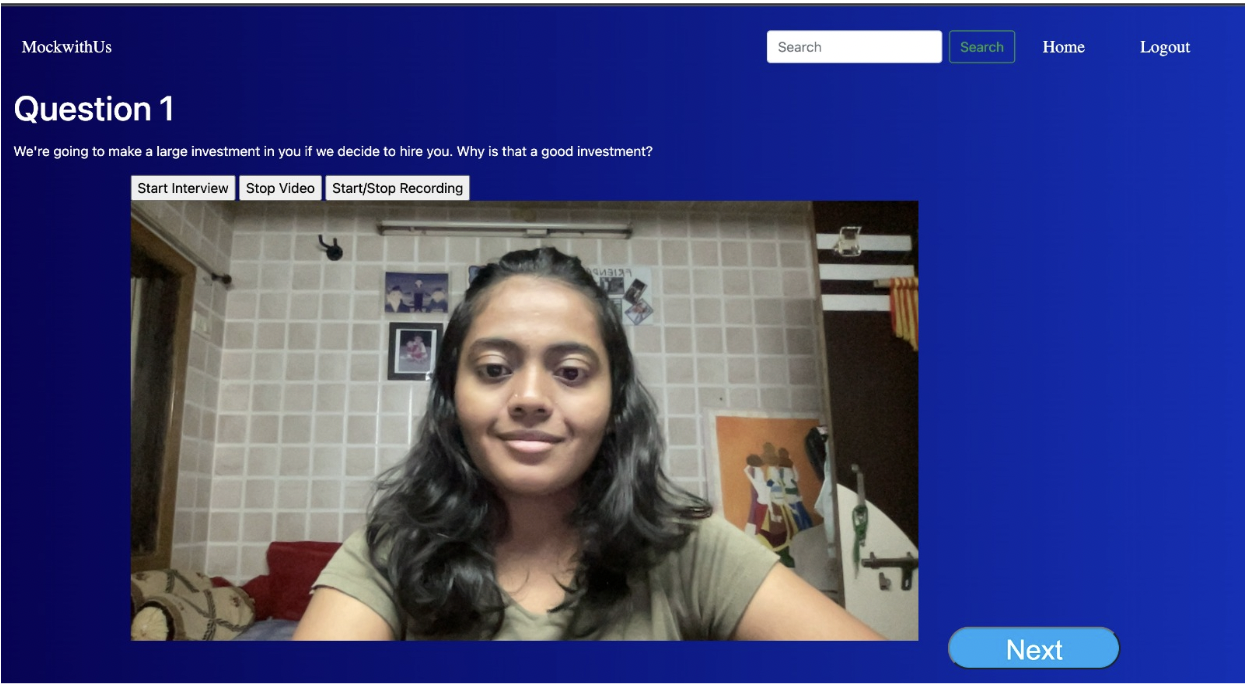
- This page displays the interview question and a window to record the answer pops up where the user can answer the question and stop recording when the answer is completed.
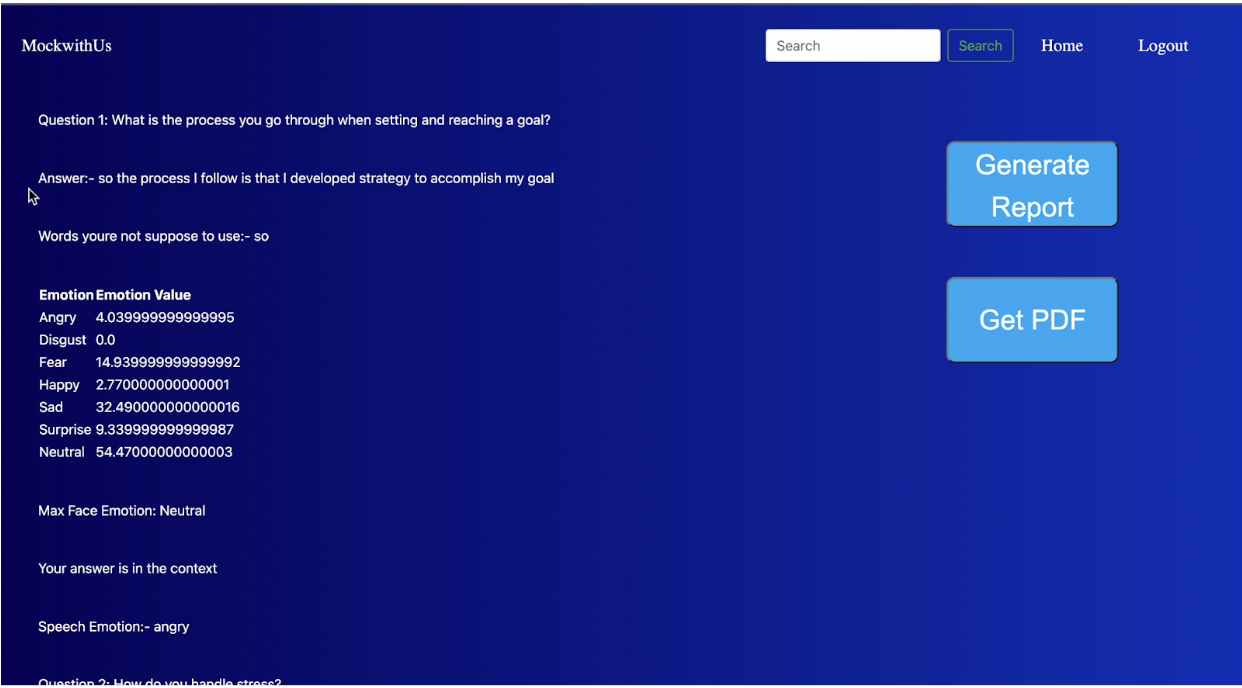
- This is the final report which is being generated on the website after the mock interview. The report includes detailed information of the answer given by the candidate, the words which the candidate should refrain from using, score of the emotion on the basis of facial expressions, confirmation of whether the answer given by the candidate is in context with the question or not and lastly the emotion detected on the basis of your speech. This format is repeated for all the questions which were being displaced during the mock interview.
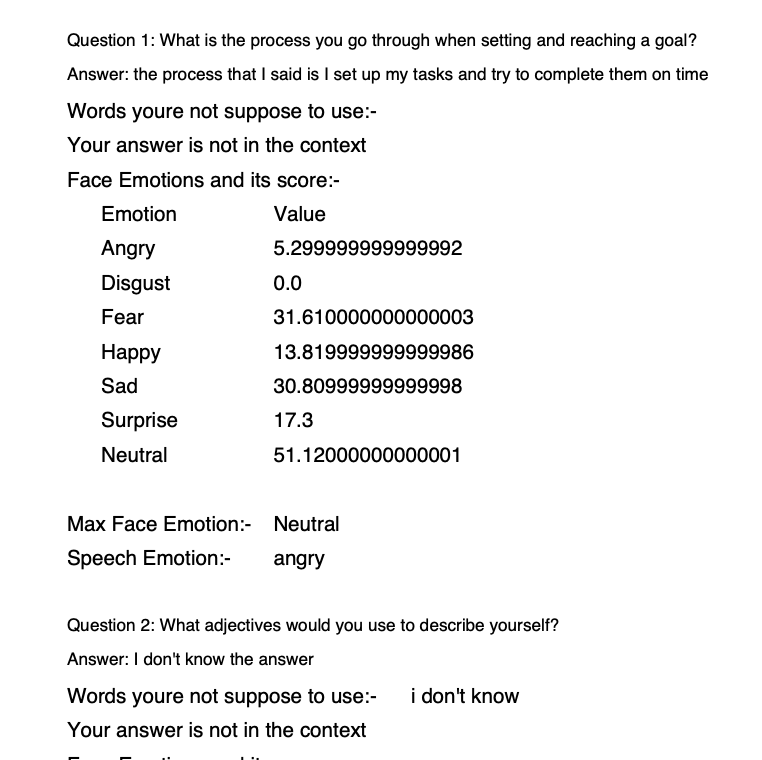
- This is the report generated in PDF format which contains the feedback regarding the mock interview.
- This page depicts a unique feature of our website which matches Job Description with the candidate’s CV or Resume. Score is given in the percentage format.
-
Python 3.6 or higher
-
Flask 2.0 or higher
-
SQLAlchemy 1.4 or higher
- Clone the repository: git clone https://github.com/yashvivaghela/MockwithUs.git
- Navigate to the project directory: cd MockwithUs
- Install the requirements: pip install -r requirements.txt
- Create the database:
-
Open a terminal window and start the Python interpreter by typing python.
-
Import the db object from the app module by typing from app import db.
-
Create the database tables by typing db.create_all().
-
Exit the Python interpreter by typing exit() or pressing Ctrl-D (on Unix/Linux) or Ctrl-Z (on Windows)
-
- Start the Flask server: python app.py
- Access the web page: Open your web browser and go to http://localhost:5000.