Motion Capture-based Robotic Imitation: A Keyframeless Implementation Method using Multivariate Empirical Mode Decomposition
This repository contains the implementation code for motion capture-based robotic imitation using MEMD (Multivariate Empirical Mode Decomposition). The project allows for the decomposition and application of motion data on NAO robots or simulators.
- Python 3.x environment
- Required Python packages:
numpyscipymatplotlib
- Python 2.7 environment
- NAOqi SDK (download from Aldebaran NAO 6 Support)
- Choregraphe software for NAO 6 robot simulation (required if no physical robot is available)
├── CSVdata/                  # Directory containing input CSV files for motion data
├── punch/                    # Directory containing output data
├── utils/                    # Utility scripts for MEMD and other processes
├── .gitignore                # Git ignore file
├── LICENSE                   # License for the project
├── MEMD_opt.py               # Script for MEMD motion data processing
├── README.md                 # Project documentation
└── apply_motion_NAO.py       # Script for applying motion to NAO robot/simulator
This script processes motion data using MEMD and compares the results with the Fourier Transform (FT). It also optimizes the output using a custom algorithm. The script is designed to work with motion data that has already been converted for use with the NAO robot. The example provided uses "punch" motion data.
--output_csv: Path to the input CSV file containing the motion data.--output_opt: Path to the output directory where results will be saved.--slow: A parameter to control the speed reduction of the motion. A value of1.0indicates normal speed, while a value of2.0indicates the speed is reduced by half (slower).--alpha: The alpha parameter as described in the research paper, which is used in the optimization process.
python MEMD_opt.py --input_csv CSVdata/punch.csv --output_opt punch --slow 1.0 --alpha 0.5After running MEMD_opt.py, three CSV files will be generated in the output directory:
- out_org.csv: This file contains the original robot motor data after conversion, without any processing. It represents the unaltered motion data.
- out_hhtFT.csv: This file contains the denoised motion data based on Fourier Transform. It represents the motion data after applying traditional Fourier-based denoising.
- out_hhtAgr.csv: This file contains the processed motion data using our proposed method as described in the paper. This represents the optimized motion data according to the algorithm introduced in our research.
These files are generated in the specified output directory after running the script, and they can be used for further analysis or for applying the processed motion data to the NAO robot.
After generating optimized CSV data, this script is used to apply the data to a NAO robot or simulator. This script runs in a Python 2.7 environment and requires the NAOqi SDK and Choregraphe software (if using a simulator). You need to specify the path to the data and the robot IP address.
--ip: The IP address of the robot ("localhost" for the simulator, "nao.lan" for the real robot).--port: The port number for the NAO simulator (required ifipis "localhost").--motionpath: The directory containing the motion data.--datapath: The CSV file containing the motion data to be applied.
For the Simulator:
python apply_motion_NAO.py --ip "localhost" --port [port number] --motionpath "./punch/" --datapath "out_hhtAgr.csv"For the Real Robot:
python apply_motion_NAO.py --ip "nao.lan" --motionpath "./punch/" --datapath "out_hhtAgr.csv"- Python 2.7 is required to run
apply_motion_NAO.py. - Ensure that the NAOqi SDK is properly installed and configured.
- If using a simulator, make sure Choregraphe software is installed, and a NAO 6 simulator is running with the correct port number.
- The --port [port number] should be replaced with the actual port number displayed in Choregraphe when the NAO virtual robot is running. This port number may change each time you start the simulator.
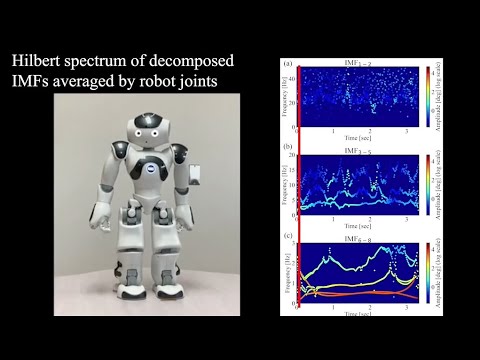
Here is a demonstration of the motion processing using the "punch" example. The video shows the replay of the processed motion data on the NAO robot in the simulator after executing the script.

This repository is based on the research paper:
@ARTICLE{10652882,
  author={Dong, Ran and Chang, Qiong and Er, Meng Joo and Zhong, Junpei and Ikuno, Soichiro},
  journal={IEEE/ASME Transactions on Mechatronics},
  title={Motion Capture-Based Robotic Imitation: A Keyframeless Implementation Method Using Multivariate Empirical Mode Decomposition},
  year={2025},
  volume={30},
  number={3},
  pages={1947-1958},
  keywords={Robots;Motion capture;Motors;Frequency-domain analysis;Robot motion;Legged locomotion;Humanoid robots;Biomechanics;deep learning;empirical mode decomposition (EMD);frequency control;motion measurement;robot motion},
  doi={10.1109/TMECH.2024.3440642}}
If you use this code or any part of it in your research, please cite the above paper.
This project is licensed under the MIT License - see the LICENSE file for details.