
A Blazingly Fast Serial Monitor for Embedded Systems and Serial Communication

Features • Installation • Documentation • Examples • Contributing
Table of Contents
Choose your preferred installation method:
Note
The easiest way to install ComChan is via cargo install
# Install from source
cargo install comchan

# Install the binary directly (faster)
cargo binstall comchan
Verify the installation:
comchan --versionFor Arch Linux users, ComChan is available in the AUR (thanks to orhun!):
# Using yay
yay -S comchan

# Using paru
paru -S comchanComChan can be installed via Homebrew taps:
brew install Vaishnav-Sabari-Girish/taps/comchanBuild from source for the latest development version:
# Clone from GitHub
git clone [email protected]:Vaishnav-Sabari-Girish/ComChan.git

# Or clone from Codeberg
git clone ssh://[email protected]/Vaishnav-Sabari-Girish/ComChan.git

# Build and run
cd ComChan
cargo build --release
cargo run📚 The full documentation for ComChan can be found at vaishnav.world/ComChan
Monitor serial output from your device:
comchan -p <port> -r <baud_rate>
# OR
comchan --port <port> --baud <baud_rate>
Example:
comchan -p /dev/ttyUSB0 -r 9600Get detailed information about the serial connection:
comchan -p <port> -r <baud_rate> -v
# OR
comchan --port <port> --baud <baud_rate> --verboseSave serial output to a log file:
comchan -p <port> -r <baud_rate> -l <log_file_name>
# OR
comchan --port <port> --baud <baud_rate> --log <log_file_name>Visualize sensor data in real-time:
comchan --port <port> --baud <baud_rate> --plot
# OR
comchan -p <port> -r <baud_rate> --plotLet ComChan find your serial device automatically:
# With default baud rate (9600)
comchan --auto

# With custom baud rate
comchan --auto --baud <baud_rate>
# OR
comchan --auto -r <baud_rate>
Example:
comchan --auto --baud 115200Starting from version 0.1.9, you can use a configuration file instead of command-line flags:
# Generate default configuration file
comchan --generate-config
This creates a config file at ~/.config/comchan/comchan.toml
Example Configuration:
# ComChan Configuration File
#
# This file contains default settings for comchan serial monitor.
# Command line arguments will override these settings.
#
# To use auto-detection, set port = "auto"
# Available parity options: "none", "odd", "even"
# Available flow control options: "none", "software", "hardware"

port = "auto"
baud = 9600
data_bits = 8
stop_bits = 1
parity = "none"
flow_control = "none"
timeout_ms = 500
reset_delay_ms = 1000
verbose = false
plot = false
plot_points = 100
Note
The default baud rate is 9600. You can customize it in the config file or override it with command-line flags (--auto, --port/-p, --baud/-r, --plot).
- Read Serial Data - Monitor incoming serial data from any serial port
- Write to Serial Port - Send data to your serial device
- Basic Logging - Save serial output to log files
- Auto-Detect Serial Ports - Automatically find connected serial devices
- Configuration Files - Use
.tomlfiles instead of command-line flags - Terminal-Based Serial Plotter - Visualize data in real-time with the
--plotflag - Multiple Sensor Plotting - Plot multiple sensor values simultaneously with legends
- Export Serial Data - Write serial data to files (
.txt,.csv, and more)
- ✅ Implemented Features
- 🚧 Yet to be implemented
Basic serial monitoring in action:

Interactive serial communication:

Real-time data visualization:

Automatic port detection in action:


Plot multiple sensors simultaneously with automatic legends:

Complete workflow demonstration:

As of Version 0.2.2, ComChan works perfectly on Windows with no limitations!
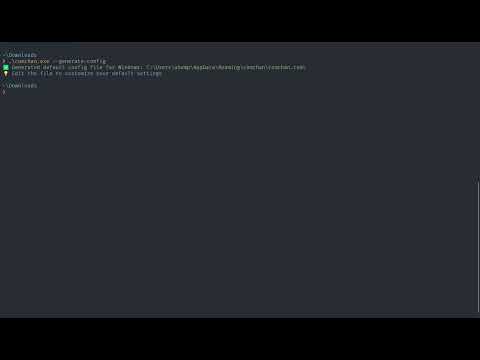
Windows Installation:
- Download the
.exefile from the releases page - Open Command Prompt or PowerShell
- Navigate to the download location:
cd Downloads
- Run ComChan:
comchan.exe --help
We welcome contributions to ComChan! 🎉
Please see our CONTRIBUTING.md for guidelines on how to contribute.
We value your feedback! ComChan uses Bashforms for terminal-based feedback submission.
To submit feedback, run this in your terminal:
ssh -t bashform.me f comchan
Made with ❤️ by the ComChan Community