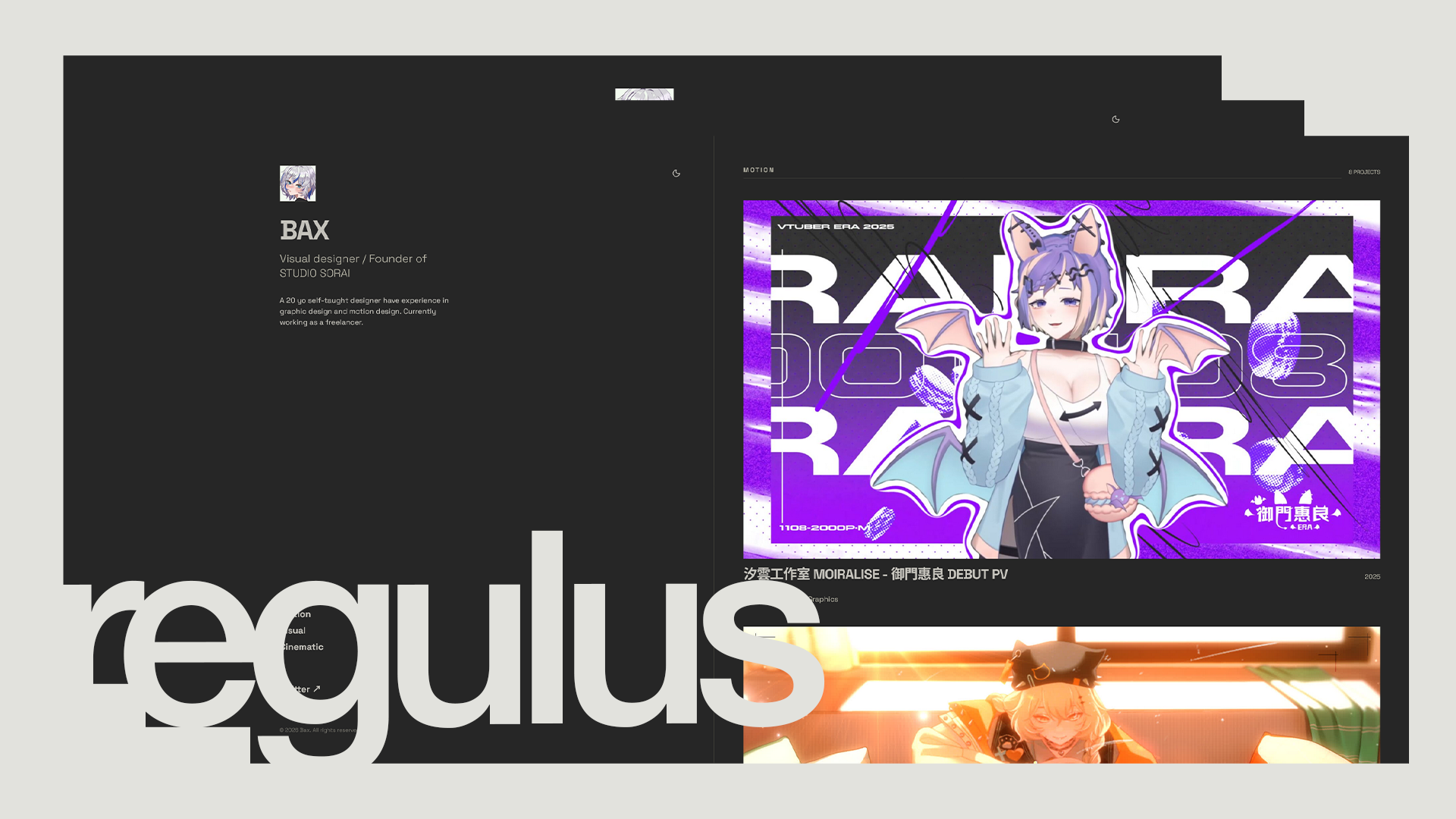
An Astro portfolio template for designer, filmmaker, or any type of creator.


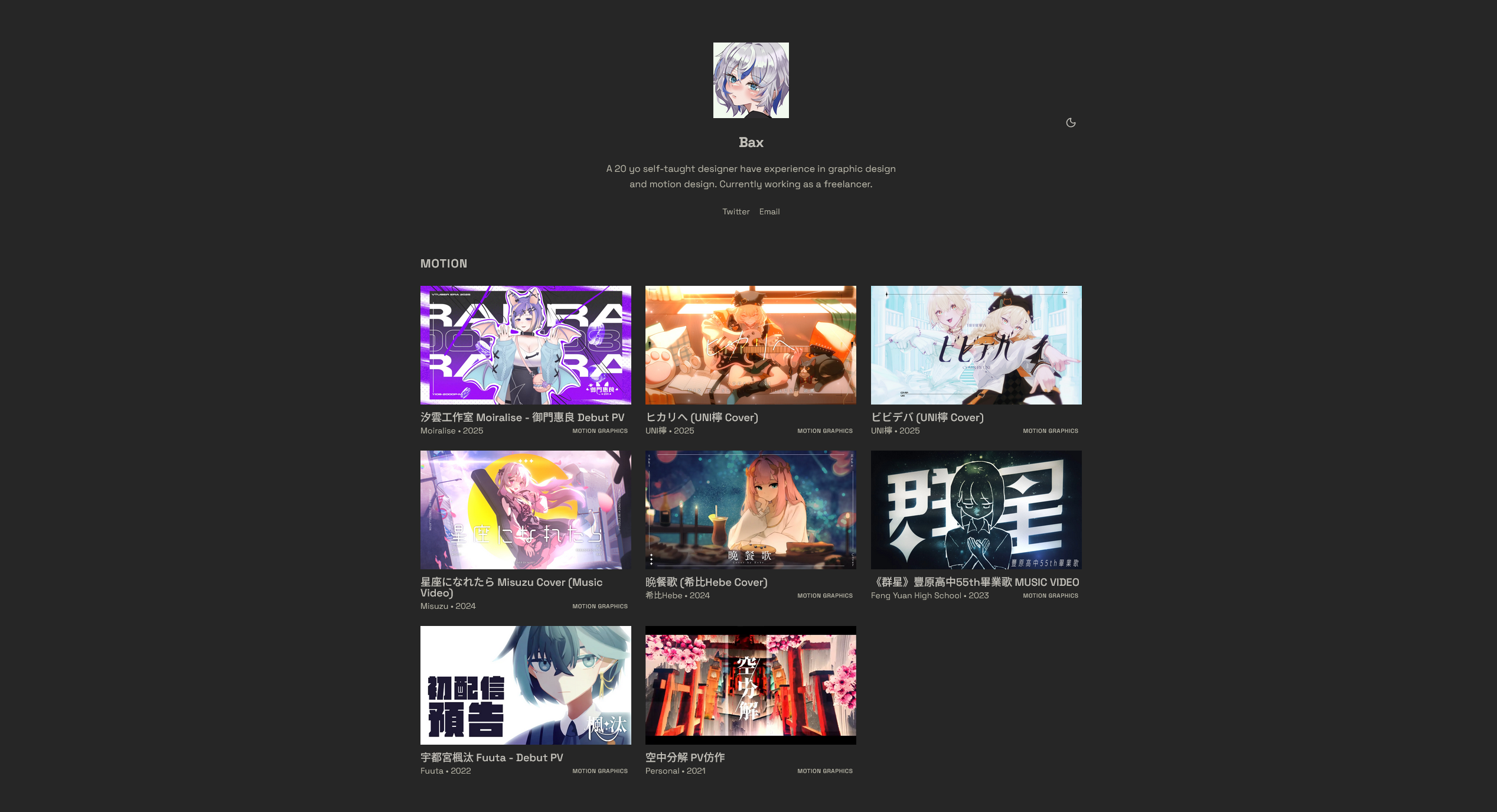
| Layout 1 |
|---|
 |
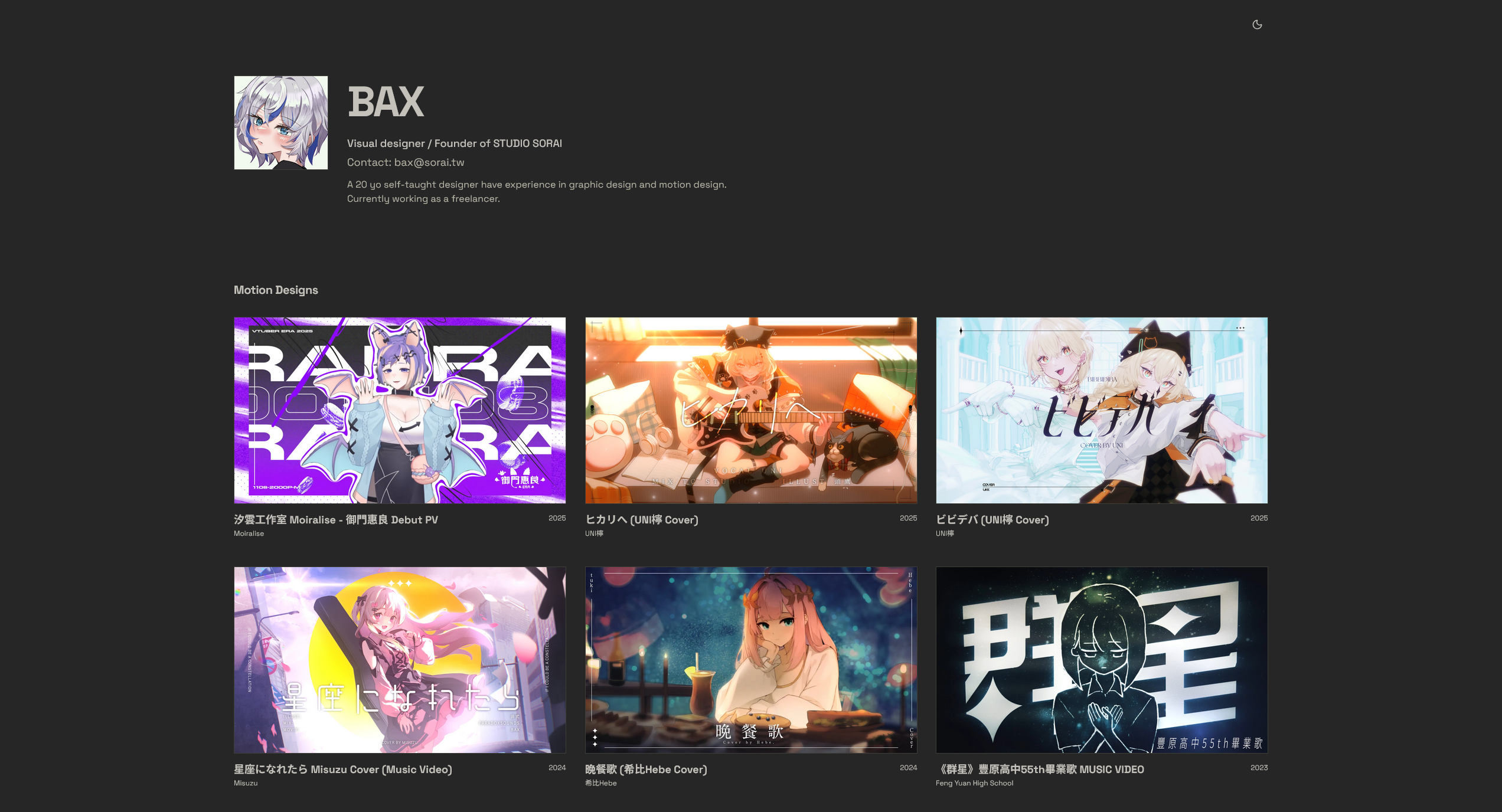
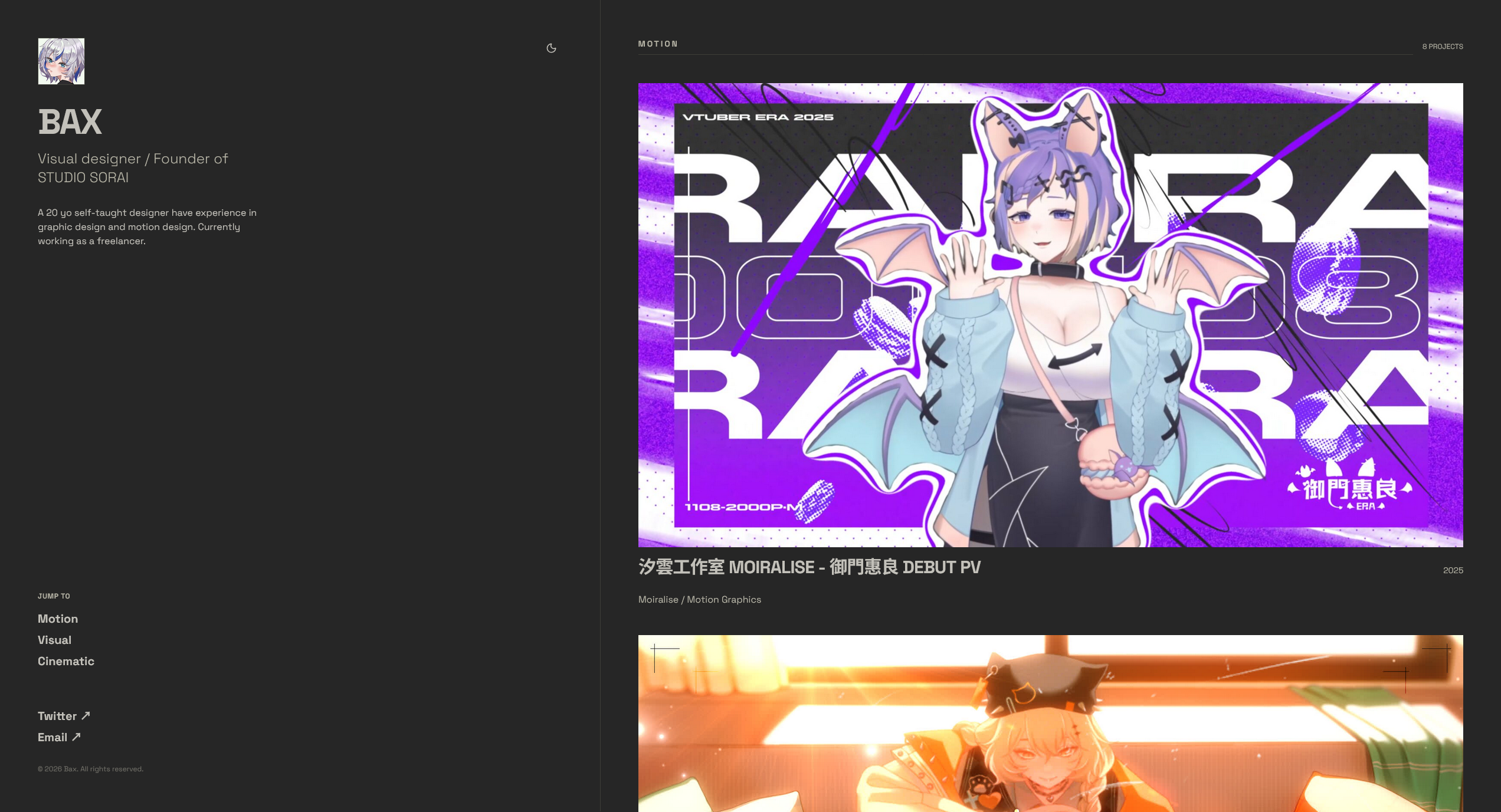
| Layout 2 | Layout 3 |
|---|---|
 |
 |
| Astro v5 | React 19 | Tailwind CSS | shadcn/ui | MDX | Vidstack | TypeScript | Bun |
|---|
- Tailored for Creatives – Specifically designed for designers and creative professionals to showcase their work.
- Seamless Experience & Peak Performance – Effortless to use and lightning-fast to deploy, powered by the cutting-edge performance of Astro and Bun.
- Fully Customizable Themes – Built with shadcn/ui and Tailwind CSS, offering deep customization and a variety of beautiful built-in themes.
- Versatile Layout Options – Switch between three distinct layouts anytime to find the perfect fit for your style.
- SEO Optimized – High visibility guaranteed with automated Open Graph tags generated for every project page.
- MDX-Powered Content – Build your portfolio as easily as writing a blog post using the flexibility of MDX.
| Bax Portfolio |
|---|
- Bun (recommended) or Node.js 18+
# Clone the repository
git clone https://github.com/Batkixni/astro-regulus.git
cd astro-bxwork

# Install dependencies
bun install

# Start development server
bun run dev
The site will be available at http://localhost:4321
# Create optimized production build
bun run build

# Preview production build
bun run previewEdit src/pages/index.astro and change the CURRENT_LAYOUT constant:
// Line 12 in index.astro
const CURRENT_LAYOUT: number = 1; // Change to 1-3Update your profile details in src/pages/index.astro:
const PROFILE = {
    name: "Your Name",
    role: "Your Role / Company",
    email: "your@email.com",
    bio: "Your bio description",
    avatar: "/header.jpg",
    links: {
        twitter: "x.com/yourhandle",
        email: "mailto:your@email.com",
    },
};Create a new .mdx file in src/content/work/:
---
title: "Project Title"
client: "Client Name"
role: ["Motion Designer", "Editor"]
date: 2026-01-15
genre: "Motion"
thumbnail: "/path/to/thumbnail.jpg"
videoUrl: "https://example.com/video.mpd" # Optional: .mpd/.m3u8, YouTube URL, or omit
description: "Project description"
credits: # Optional
  - name: "John Doe"
    role: "Director"
---

## Project Details

Your project content here. You can use custom components:

<YouTube url="https://youtube.com/watch?v=..." />

<Grid cols={2}>
  <Video src="/video1.mp4" />
  <Video src="/video2.mp4" />
</Grid>

<Grid variant="bento">
  <img src="/picture1.jpg" alt="Vertical" />
  <img src="/picture2.jpg" alt="Horizontal 1" />
  <img src="/picture3.jpg" alt="Horizontal 2" />
</Grid>To embed Youtube video, you can use the following syntax in your .mdx file.
<YouTube url="https://youtube.com/watch?v=..." />Else, if you want to embed other videos outside from Youtube, use:
<Video src="/video-example.mp4" />To create grid in pages, you can use the following syntax in your .mdx file.
<Grid cols={2}>
  <Video src="/video1.mp4" />
  <Video src="/video2.mp4" />
</Grid>
In this case, means you will have a 2 collum data in 1 row. Following this logic, for more examples:
<Grid cols={3}>
  <Video src="/video1.mp4" />
  <Video src="/video2.mp4" />
  <Video src="/video3.mp4" />
  <Video src="/video4.mp4" />
  <Video src="/video5.mp4" />
  <Video src="/video6.mp4" />
</Grid>
This means you will generate a 2 row data with 3 collum inside.
<Grid variant="bento">
  <img src="/picture1.jpg"/>
  <img src="/picture2.jpg"/>
  <img src="/picture3.jpg">
</Grid>
This will create a responsive bento grid for these 3 pictures, the picture will automaticlly fit into the grid.
Edit tailwind.config.mjs to customize the color scheme:
theme: {
  extend: {
    colors: {
      primary: "hsl(var(--primary))",
      // ... customize other colors
    }
  }
}Projects are validated with the following Zod schema:
{
  title: string,
  client: string,
  role: string[],
  date: Date,
  genre: string (default: "Motion"),
  thumbnail: string,
  videoUrl?: string, // Optional
  description: string,
  credits?: Array<{
    name: string,
    role: string
  }>
}This project can be deployed to any static hosting platform:
vercel deploynetlify deploy --prodbun run build
# Upload dist/ folderThis project is licensed under the GPL-3.0 License - see the LICENSE file for details.
Warning
The license dose not include example or placeholder pictures contain in this template, all rights to these photos are reserved by Bax.
- 為創作者量身打造 – 專為設計師與創意工作者設計,用於展示個人作品。
- 順暢體驗與極致效能 – 使用上毫不費力、部署速度飛快,由 Astro 與 Bun 提供前沿效能。
- 完整主題客製化 – 基於 shadcn/ui 與 Tailwind CSS 打造,提供深度客製能力與多款精美內建主題。
- 多樣化版面配置 – 可隨時在三種不同版型之間切換,找到最符合你風格的呈現方式。
- SEO 最佳化 – 每個專案頁面都會自動產生 Open Graph 標籤,確保高度曝光。
- MDX 驅動內容 – 像寫部落格一樣輕鬆建立作品集,享受 MDX 帶來的高度彈性。
| Bax Portfolio |
|---|
- Bun(推薦)或 Node.js 18+
# 複製專案
git clone https://github.com/Batkixni/astro-regulus.git
cd astro-bxwork

# 安裝相依套件
bun install

# 啟動開發伺服器
bun run dev
網站將會在 http://localhost:4321 提供服務
# 建立最佳化的正式環境版本
bun run build

# 預覽正式版本
bun run preview編輯 src/pages/index.astro,修改 CURRENT_LAYOUT 常數:
// index.astro 第 12 行
const CURRENT_LAYOUT: number = 1; // 可設為 1-3在 src/pages/index.astro 更新你的個人資訊:
const PROFILE = {
    name: "Your Name",
    role: "Your Role / Company",
    email: "your@email.com",
    bio: "Your bio description",
    avatar: "/header.jpg",
    links: {
        twitter: "x.com/yourhandle",
        email: "mailto:your@email.com",
    },
};在 src/content/work/ 建立新的 .mdx 檔案:
---
title: "Project Title"
client: "Client Name"
role: ["Motion Designer", "Editor"]
date: 2026-01-15
genre: "Motion"
thumbnail: "/path/to/thumbnail.jpg"
videoUrl: "https://example.com/video.mpd" # 選填:.mpd/.m3u8、YouTube 連結,或省略
description: "Project description"
credits: # 選填
  - name: "John Doe"
    role: "Director"
---

## 專案說明

你的專案內容寫在這裡,你可以使用自訂元件:

<YouTube url="https://youtube.com/watch?v=..." />

<Grid cols={2}>
  <Video src="/video1.mp4" />
  <Video src="/video2.mp4" />
</Grid>

<Grid variant="bento">
  <img src="/picture1.jpg" alt="Vertical" />
  <img src="/picture2.jpg" alt="Horizontal 1" />
  <img src="/picture3.jpg" alt="Horizontal 2" />
</Grid>若要嵌入 YouTube 影片,可在 .mdx 檔案中使用以下語法:
<YouTube url="https://youtube.com/watch?v=..." />若要嵌入非 YouTube 的影片,請使用:
<Video src="/video-example.mp4" />你可以在頁面中建立 Grid 排版,使用以下語法。
<Grid cols={2}>
  <Video src="/video1.mp4" />
  <Video src="/video2.mp4" />
</Grid>
上述範例代表一列中有 2 個欄位。依此類推,例如:
<Grid cols={3}>
  <Video src="/video1.mp4" />
  <Video src="/video2.mp4" />
  <Video src="/video3.mp4" />
  <Video src="/video4.mp4" />
  <Video src="/video5.mp4" />
  <Video src="/video6.mp4" />
</Grid>
這代表會產生 2 列,每列 3 個欄位的版面。
<Grid variant="bento">
  <img src="/picture1.jpg"/>
  <img src="/picture2.jpg"/>
  <img src="/picture3.jpg">
</Grid>
這會建立一個響應式的 Bento Grid,圖片會自動適配版面配置。
編輯 tailwind.config.mjs 來自訂配色:
theme: {
  extend: {
    colors: {
      primary: "hsl(var(--primary))",
      // ... 其他顏色設定
    }
  }
}專案內容會依照以下 Zod Schema 驗證:
{
  title: string,
  client: string,
  role: string[],
  date: Date,
  genre: string (預設值: "Motion"),
  thumbnail: string,
  videoUrl?: string, // 選填
  description: string,
  credits?: Array<{
    name: string,
    role: string
  }>
}此專案可部署至任何靜態網站平台:
vercel deploynetlify deploy --prodbun run build
# 上傳 dist/ 資料夾本專案採用 GPL-3.0 授權,詳情請參閱 LICENSE 檔案。
Warning
此專案版權許可並不包含此模板含有的占位符或範例圖片,那些圖片的版權唯一持有者為Bax。
Built with ❤️ by Bax