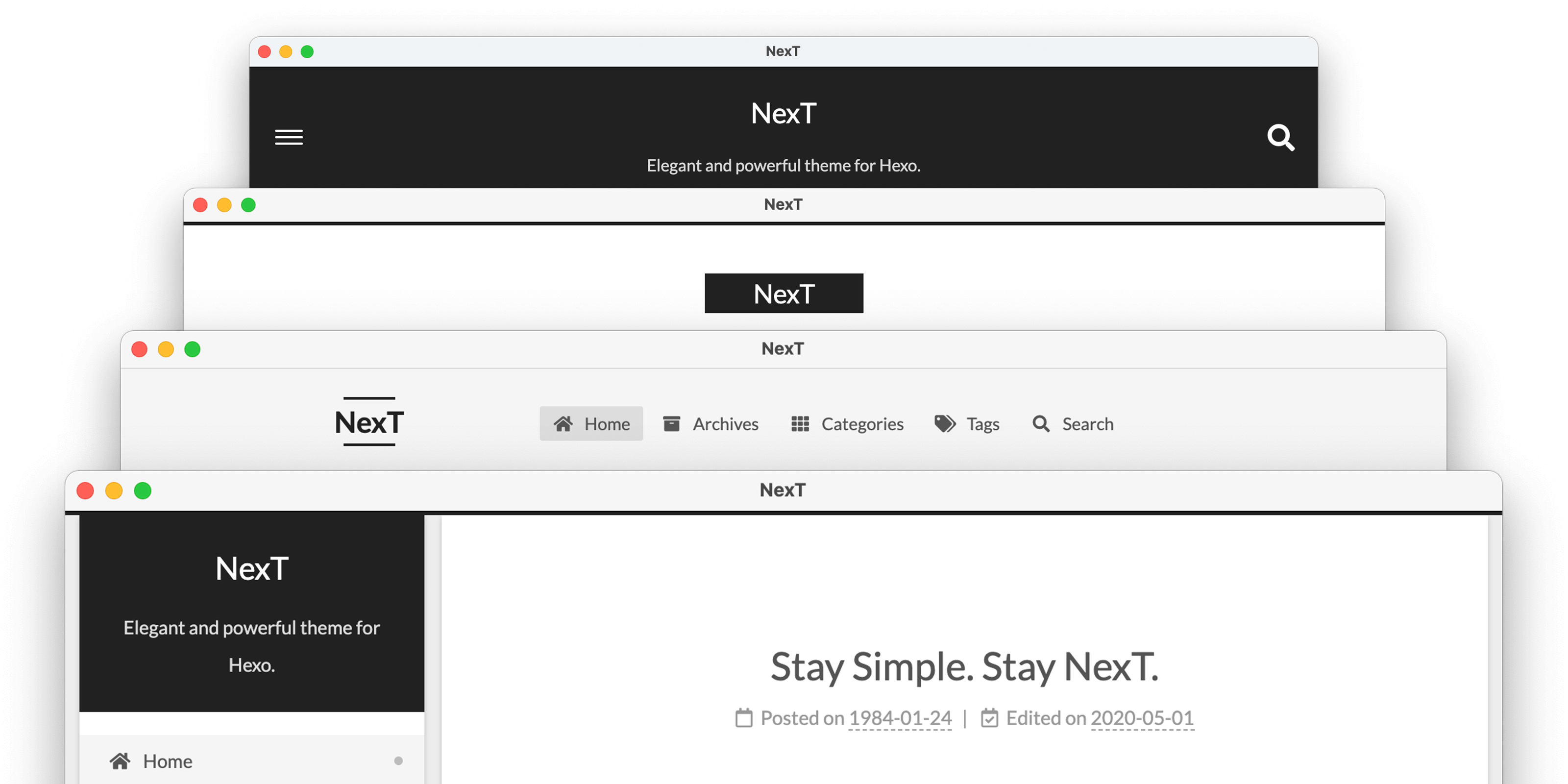

«NexT» — элегантная высококачественная тема под Hexo. Сделана с нуля, с любовью.







💟 Muse | 🔯 Mist | ♓️ Pisces | ♊️ Gemini
Больше примеров «NexT» здесь.
If you're using Hexo 5.0 or later, the simplest way to install is through npm:
cd hexo-site
npm install hexo-theme-next
Or you can clone the entire repository:
cd hexo-site
git clone https://github.com/next-theme/hexo-theme-next themes/next
See detailed installation instructions if you want any other variant.
After the installation, open Hexo config file and set theme variable to next.
theme: nextIt is not recommended to directly modify any files in the NexT theme. Because this may cause errors (e.g. merge conflicts), and the modified files may be discarded when upgrading the theme.
At present, NexT encourages users to use the Alternate Theme Config to configure NexT. And it's easy to customize the layout or style of NexT using Custom Files.
Plugins extend and expand the functionality of NexT. Some advanced features may require third-party libraries or additional configuration, giving you the flexibility to create a truly personalized website.
Configuring these plugins is very easy. Например, Вы хотите использовать pjax для своего сайта. Открываем конфиг NexT'а и находим:
# Easily enable fast Ajax navigation on your website.
# For more information: https://github.com/next-theme/pjax
pjax: trueThird-party plugins are loaded from CDNJS CDN by default. We also provide other optional CDNs, including the famous UNPKG and jsDelivr.
For example, if you want to use unpkg instead of cdnjs as the default CDN provider, you need to edit the following settings in NexT config file:
vendors:
  # ...
  # Some contents...
  # ...
plugins: unpkgThe NexT theme will continue to release new versions to include new features and bug fixes. Please read the release notes before updating the theme. You can update NexT by the following command.
Install the latest version through npm:
cd hexo-site
npm install hexo-theme-next@latest
Or update to the latest master branch:
cd themes/next
git pull
Если нужно обновиться с версии v5.x / v7.x на последней версиями, читаем здесь.
Connect with us and be part of our growing community!
- Discord Server: Join our Discord!
- Gitter: Join our Gitter chats!
- ChatGPT: NexT Mentor
- Посетите Awesome NexT список.
- Вступить в наши GitHub discussions.
- Добавить или улучшить перевод за несколько секунд.
- Сообщить об ошибке в разделе GitHub Issues.
- Запросить новую возможность на GitHub.
- Голосовать за популярные запросы возможностей.
We welcome you to join the development of NexT. Please see contributing document. 🤗
Also, we welcome Issue or PR to our official-plugins.
«NexT» send special thanks to these great services that sponsor our core infrastructure:

GitHub allows us to host the Git repository and run the test suite.

Netlify allows us to distribute the documentation.

Crowdin allows us to translate conveniently the documentation.

Thanks CDNJS for providing public CDN service.